Redesigning the Claim-Filing Experience for Assurant
B2C
Conversational AI
End-to-End Flow
NPS Lift
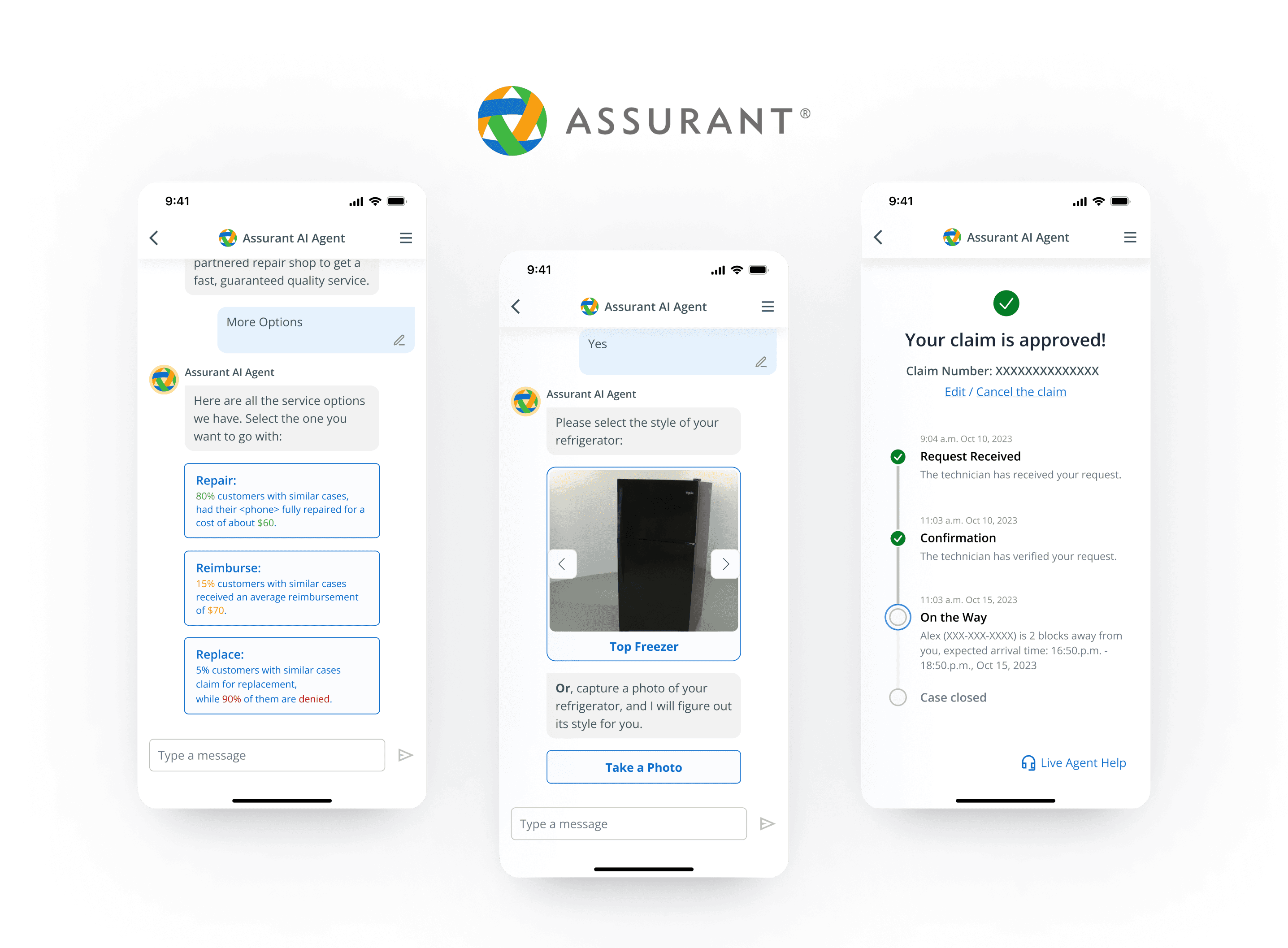
Assurant, a leading insurance company serving 300M+ customers, found users faced situation-specific questions when filing claims due to a lack of tailored guidance, causing confusion and increased service load. I was brought on to address this.
Challenge
Customers need their specific questions answered when filing claims
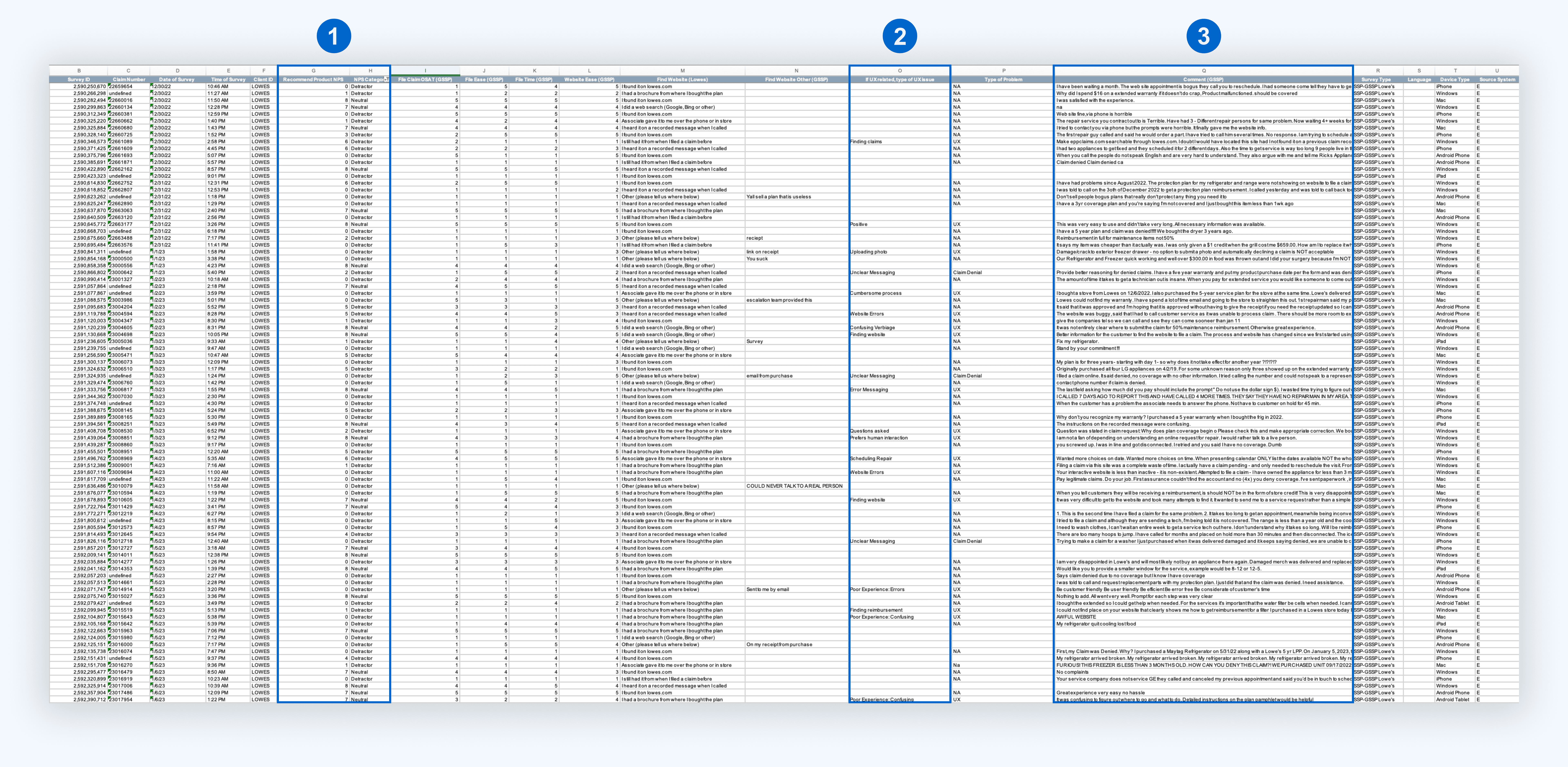
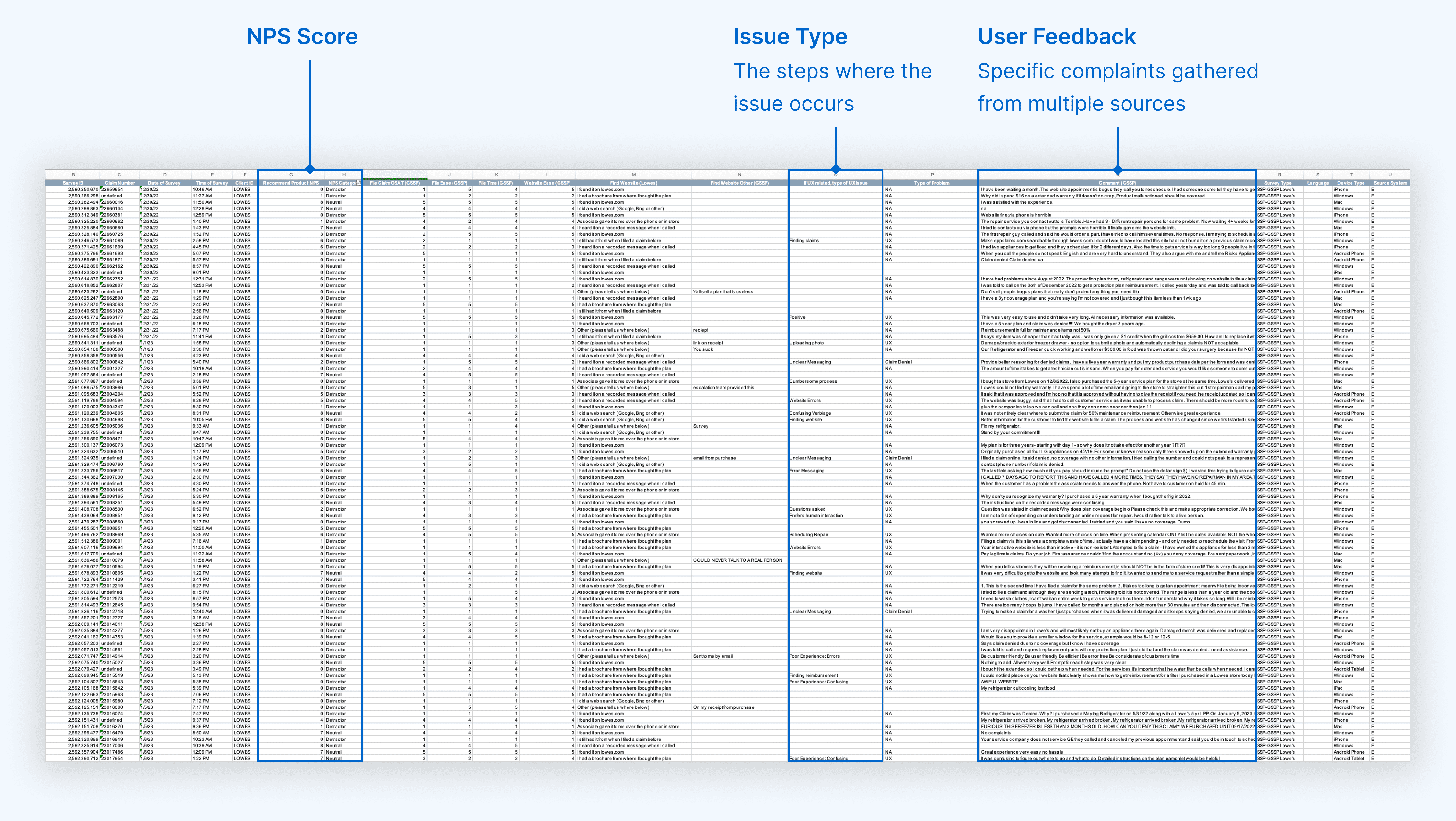
I analyzed 2,500 rows of survey responses to understand why people called customer support:
“I want a clear reason why my claim was denied, not just a generic message.”
"Tried calling the helpline, was on hold for an hour, and then got transferred three times!"
“I called 7 days ago to report this and have called 4 more times. They said they have no repairman in my area.”
Solution Preview
Pitching an AI chatbot that feels like Assurant customer support
I developed the Assurant AI chatbot with 3 key features:
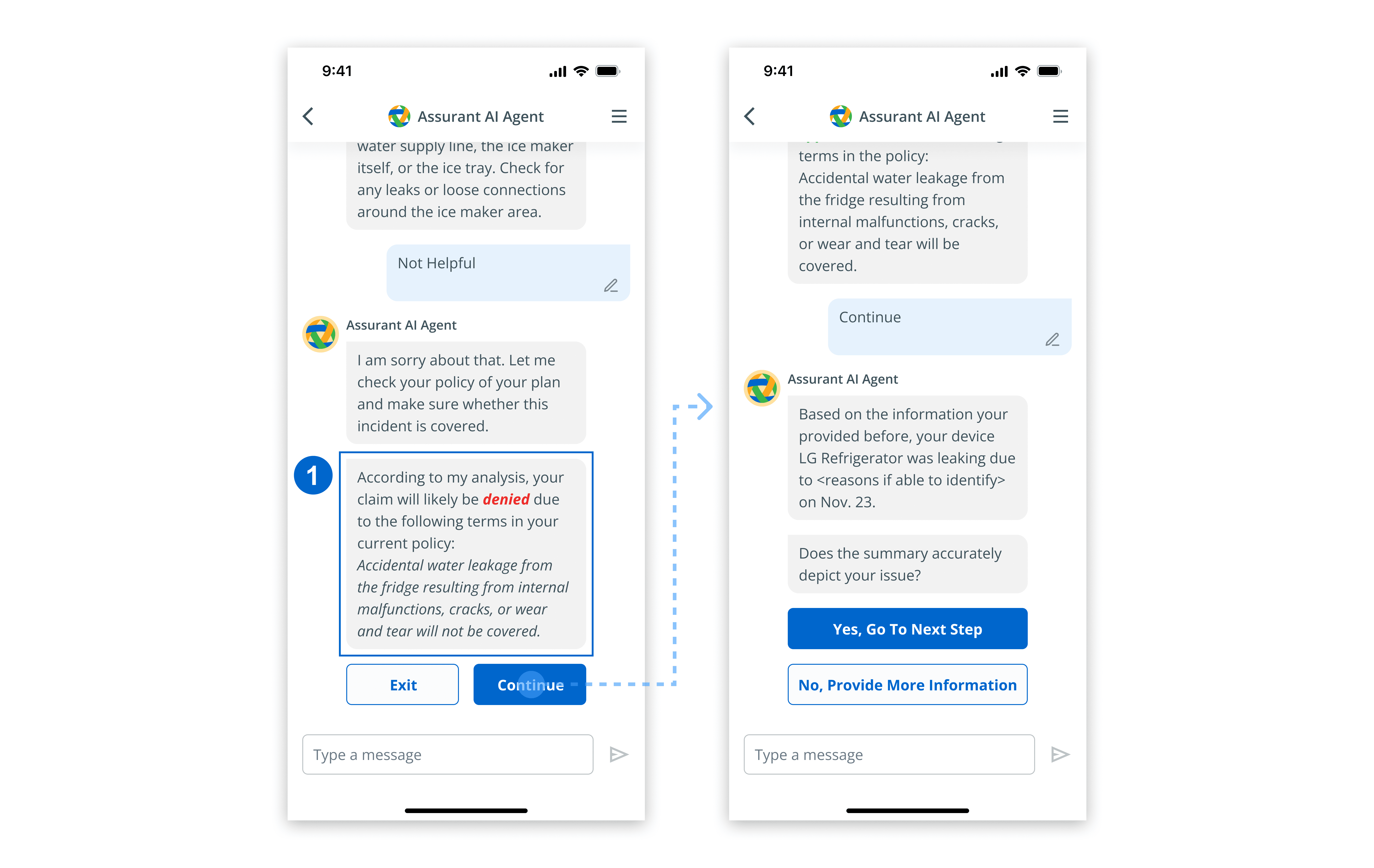
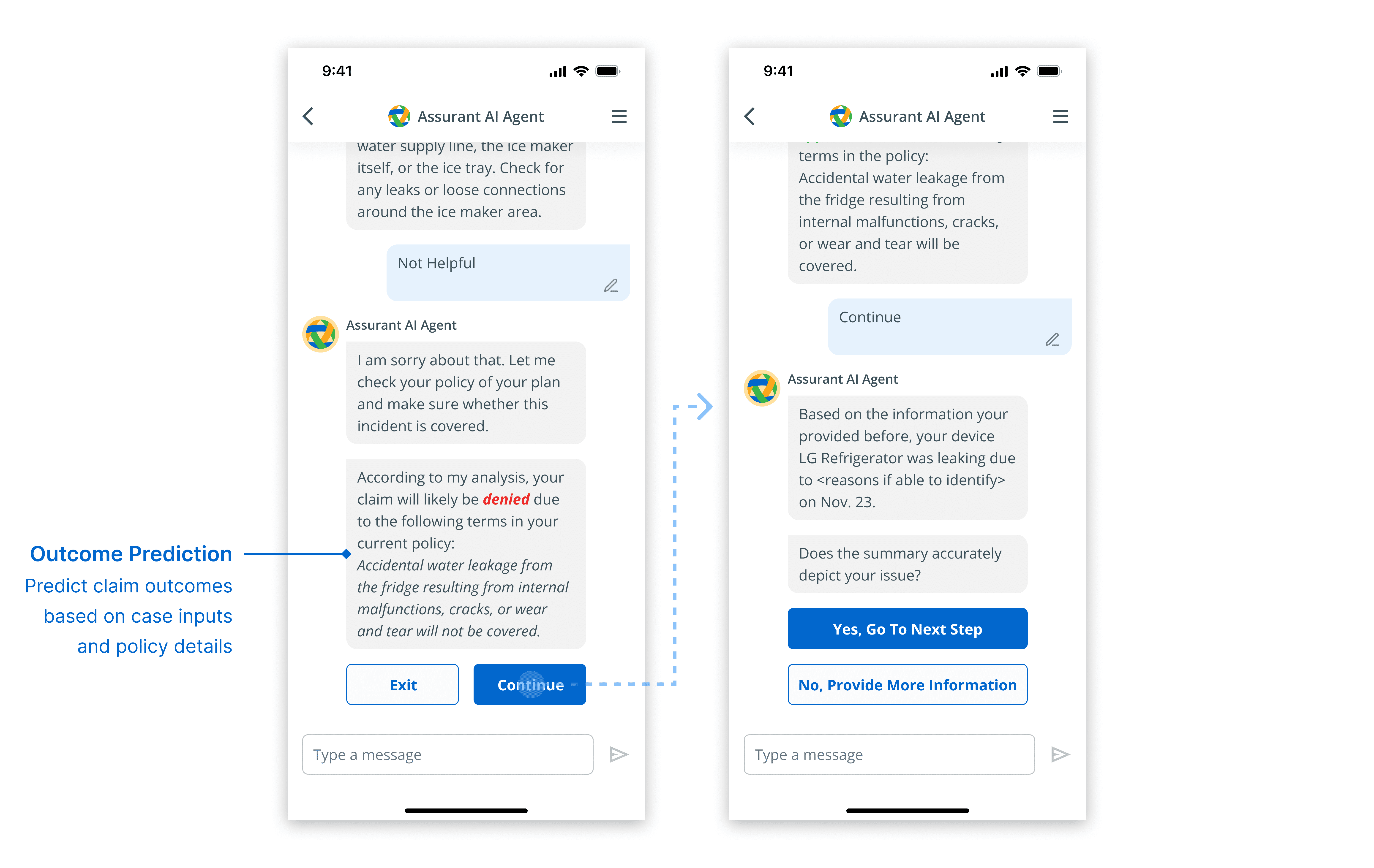
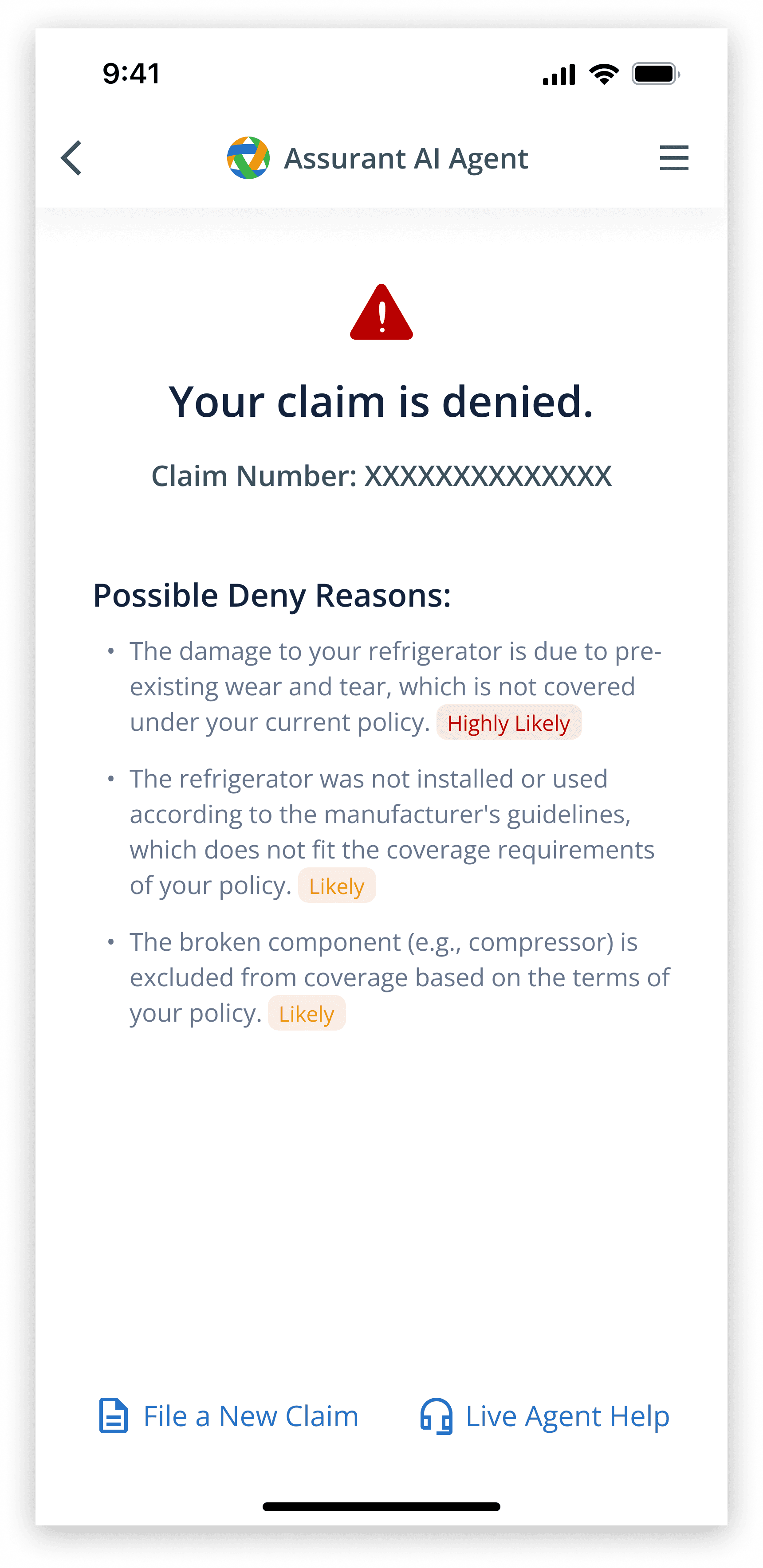
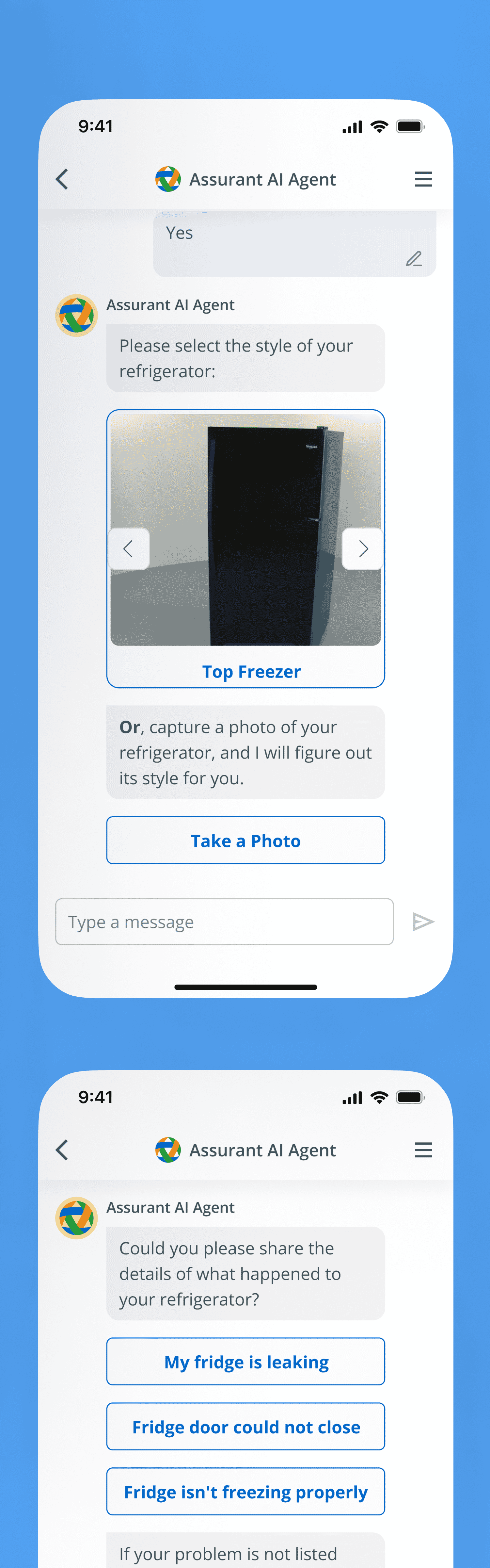
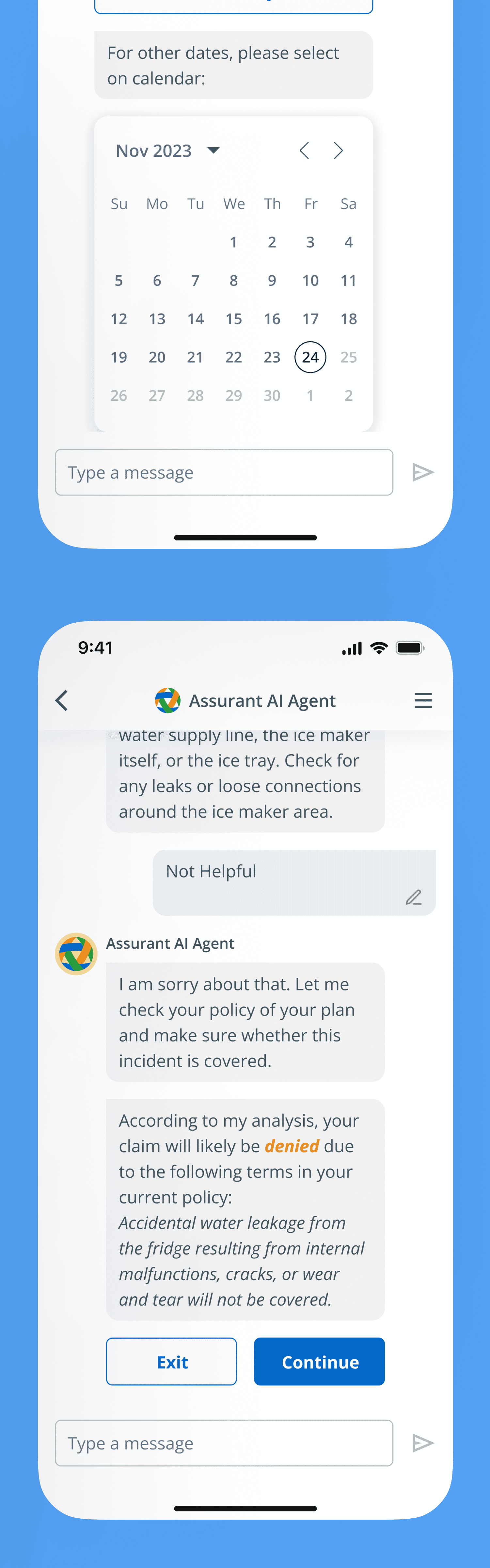
The AI predicted claim outcomes and suggested claim strategies with clear explanations based on user input, improving claim efficiency and user understanding.
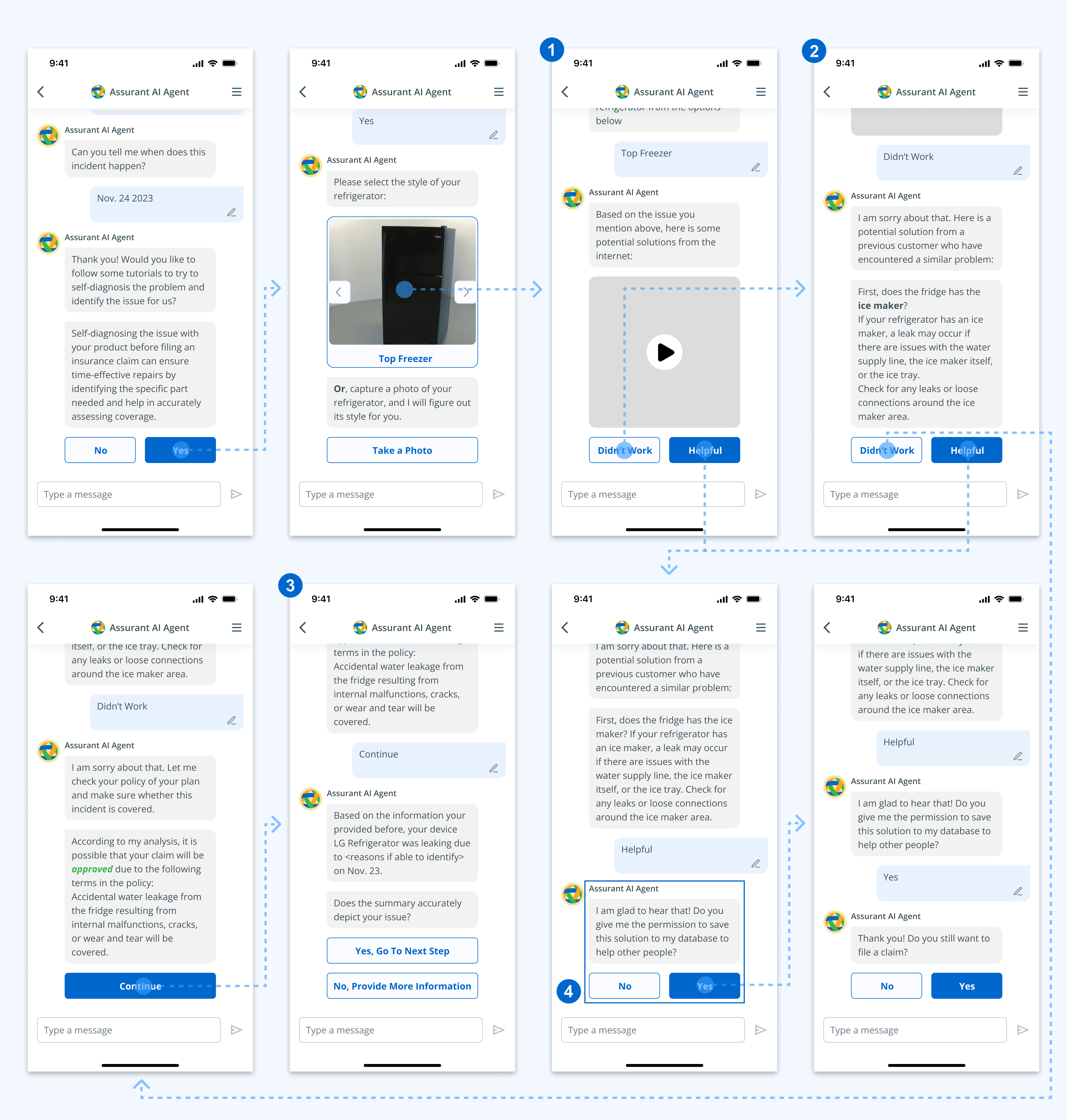
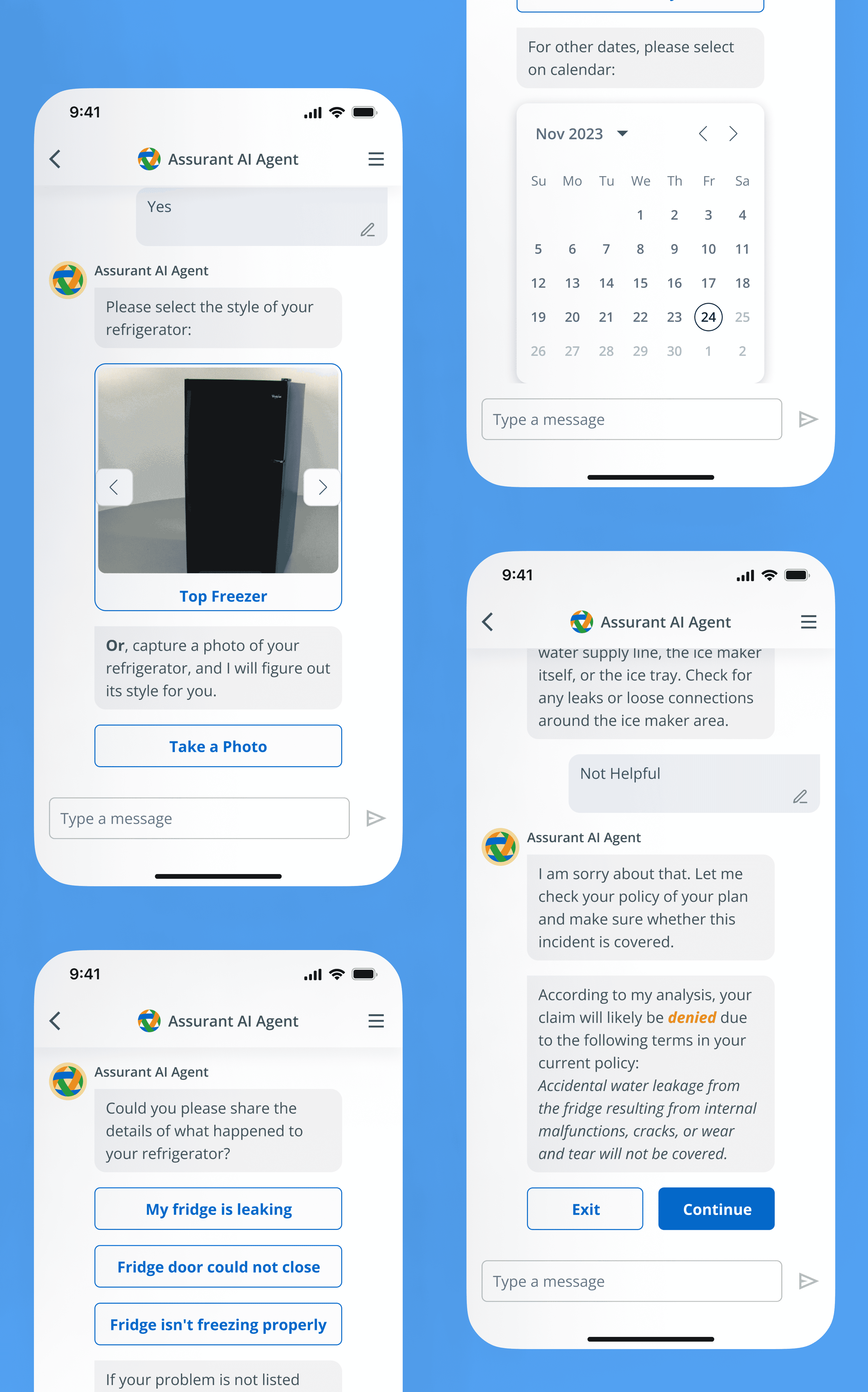
A self-diagnosis feature allowed users to identify and resolve minor issues on their own before submitting claims that would otherwise require on-site repair. This enabled immediate problem resolution and saved on-site repair resources.
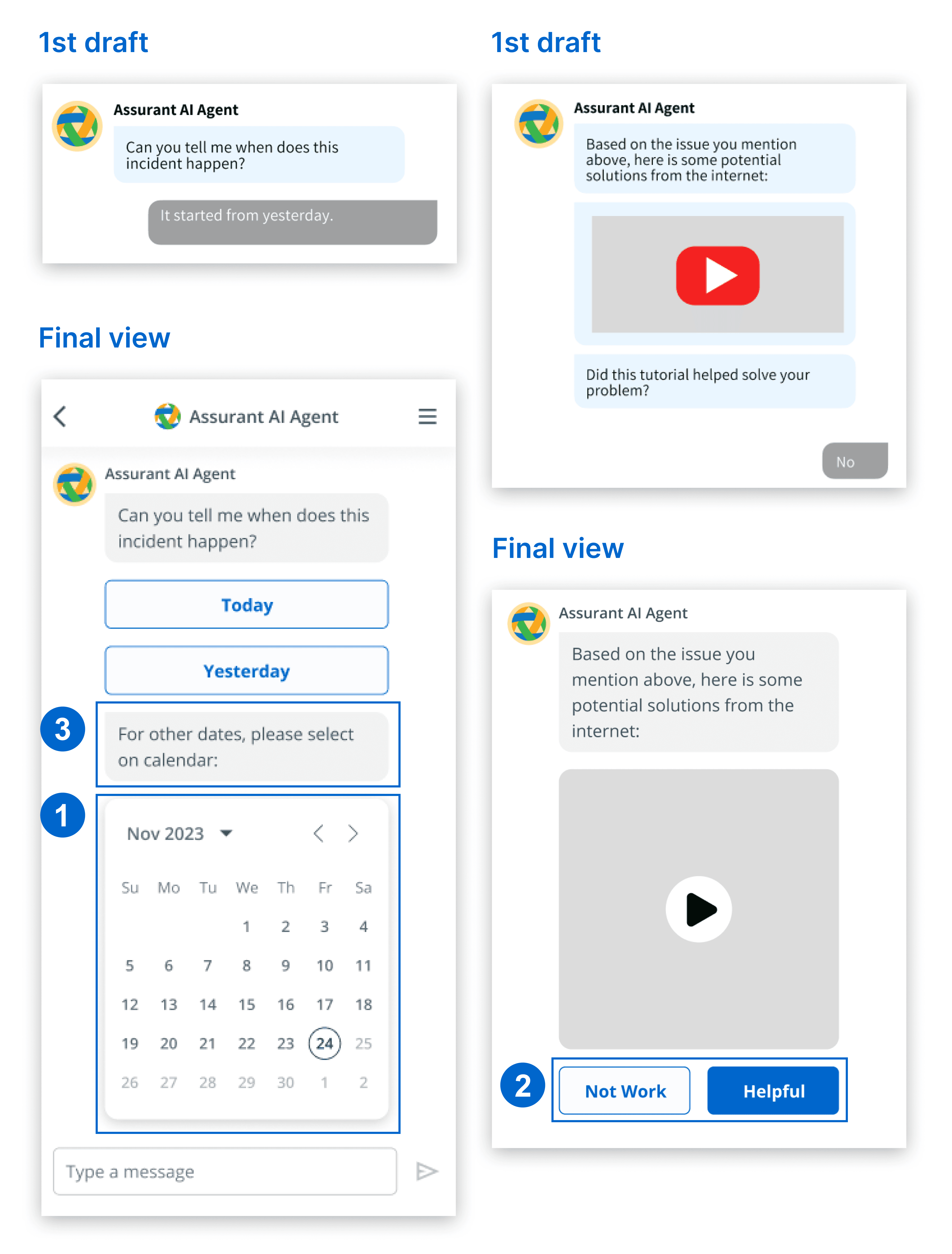
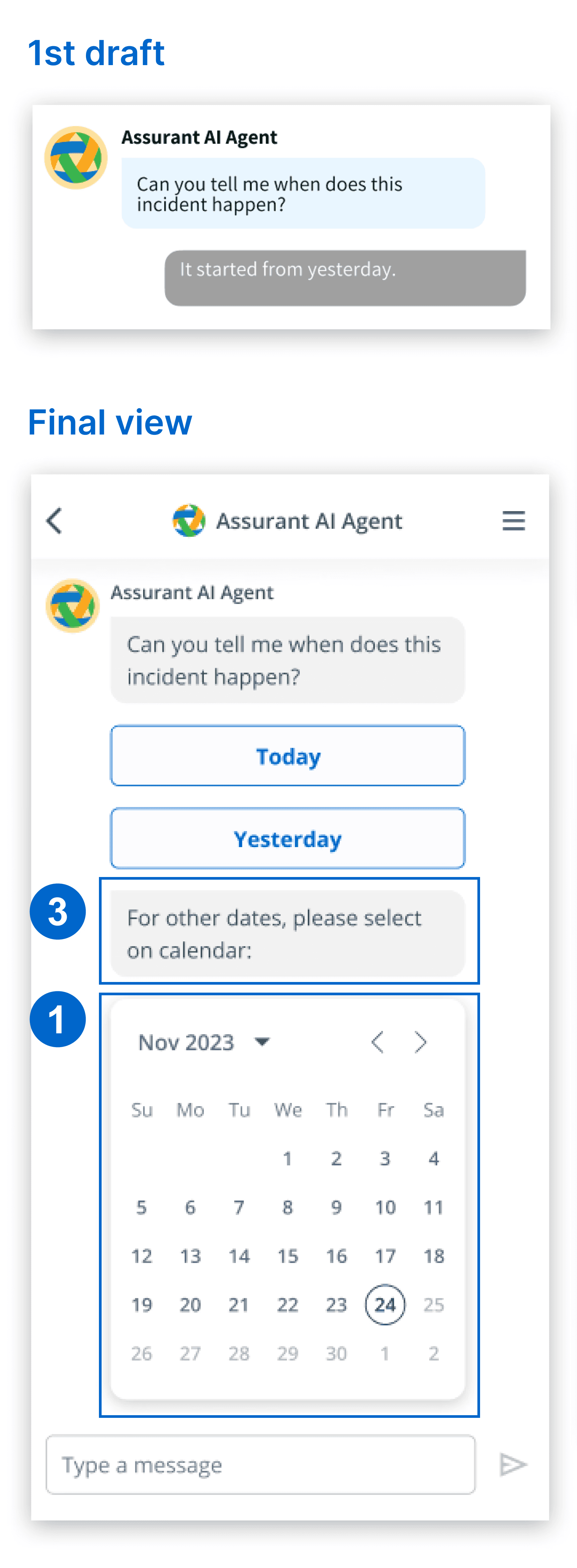
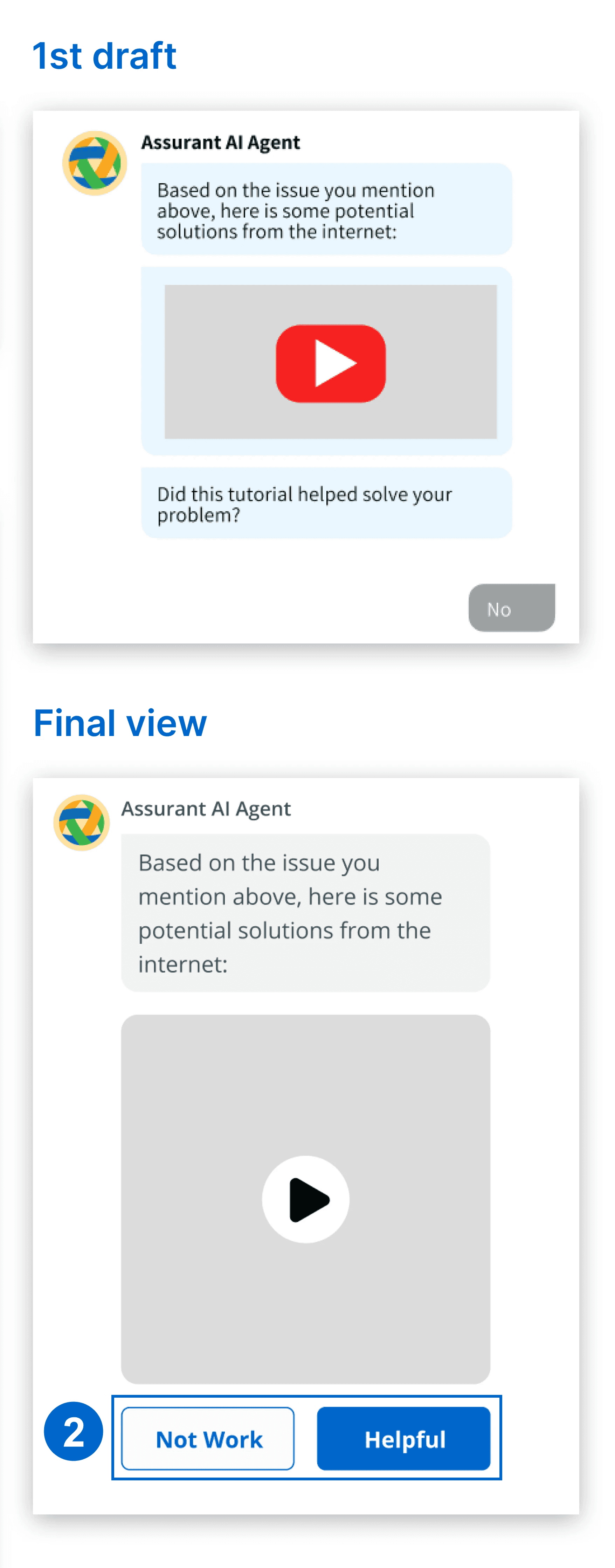
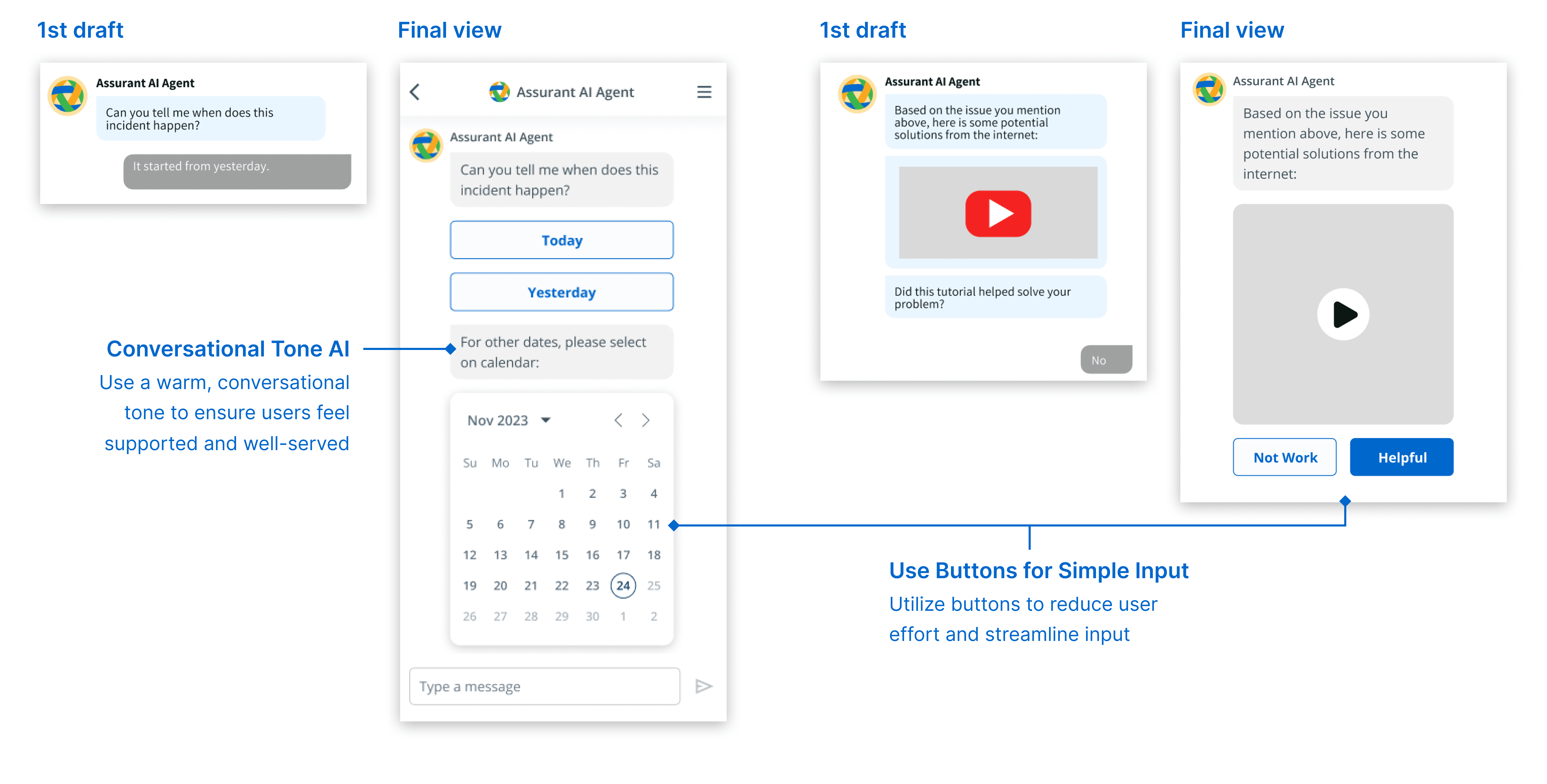
The chatbot streamlined interactions with buttons for simple inputs, minimizing user effort. Its warm, conversational tone also made users feel supported and welcomed.
DESIGN
Leveraging AI in the claim flow to answer specific questions turned out to be a great solution
I proposed introducing claim predictions and recommendations at contextually appropriate moments

FEATURE 1 - sOLVING PROBLEM 1
Provide Claim Outcomes Predictions with Clear Explanations
Problem 1
Users are frustrated by generic denial messages that appear after submitting a claim.
Solution 1
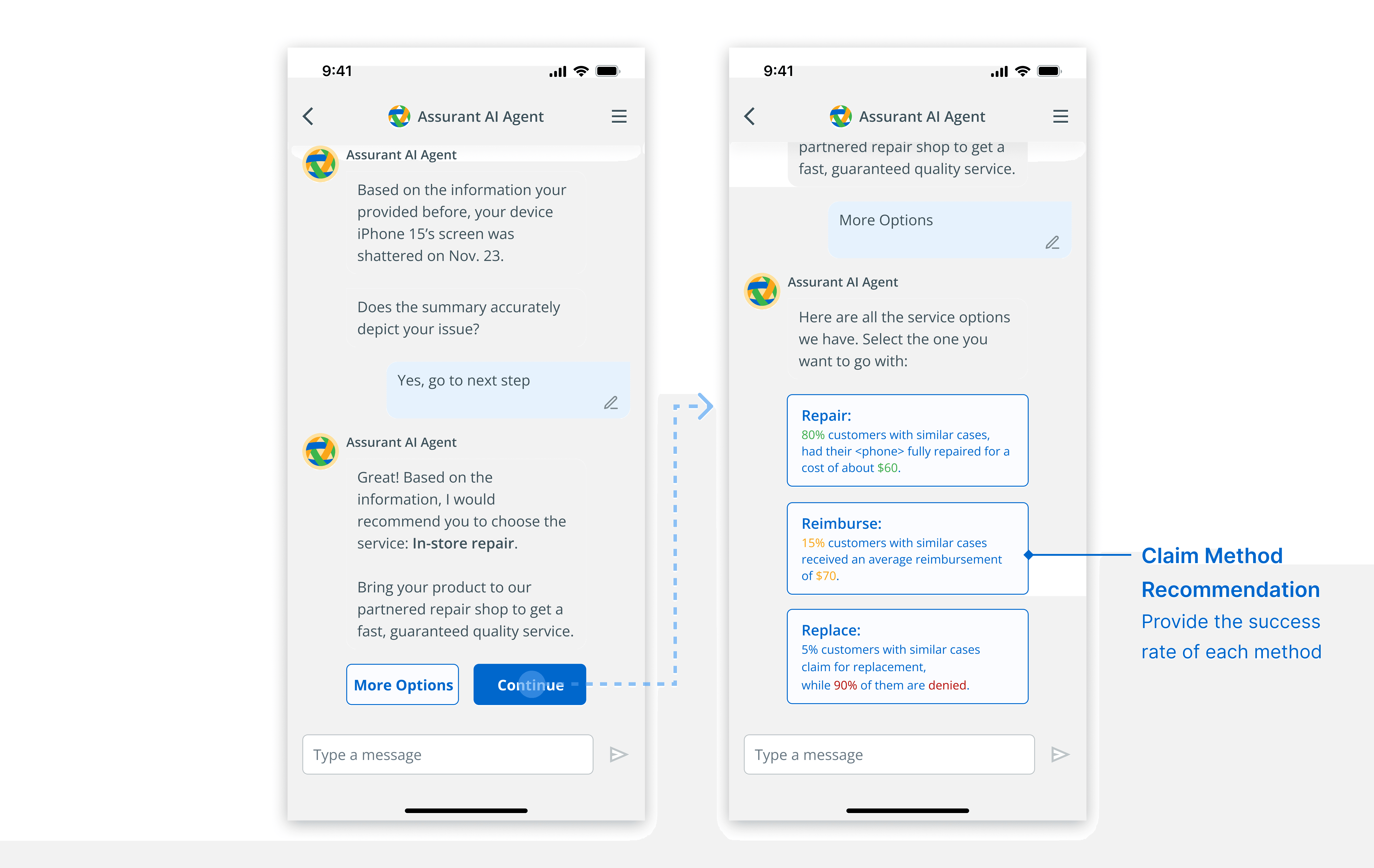
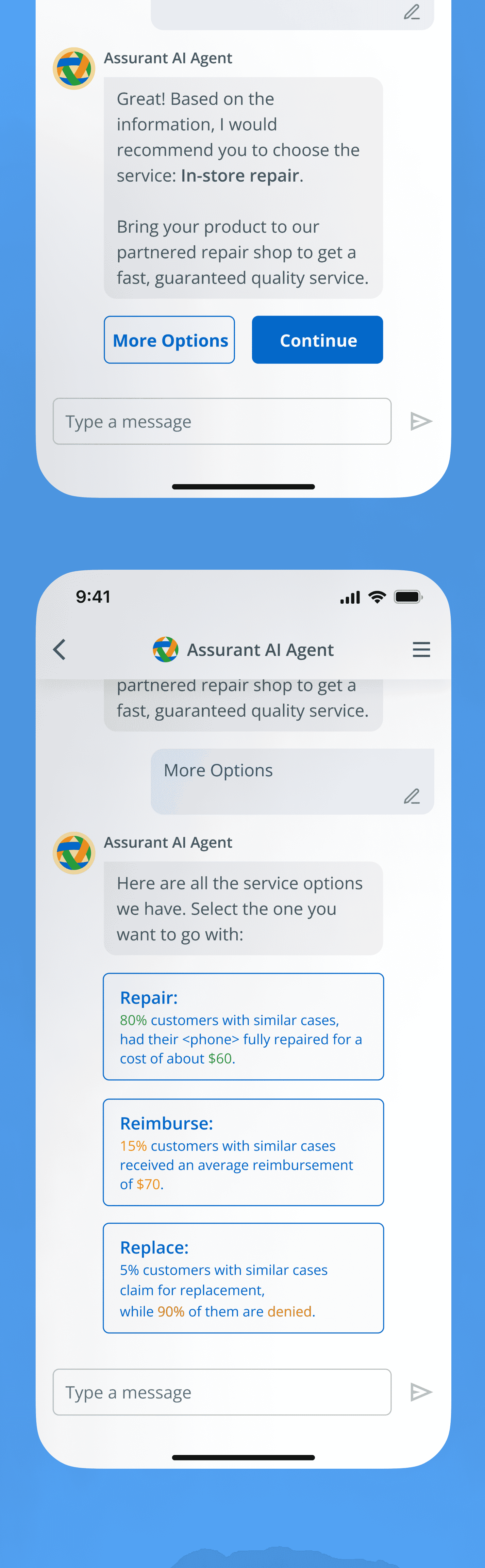
I pitched a solution to alert users early in the process if there was a high chance their claim might be denied, providing clear explanations. This way, users weren’t caught off guard later.
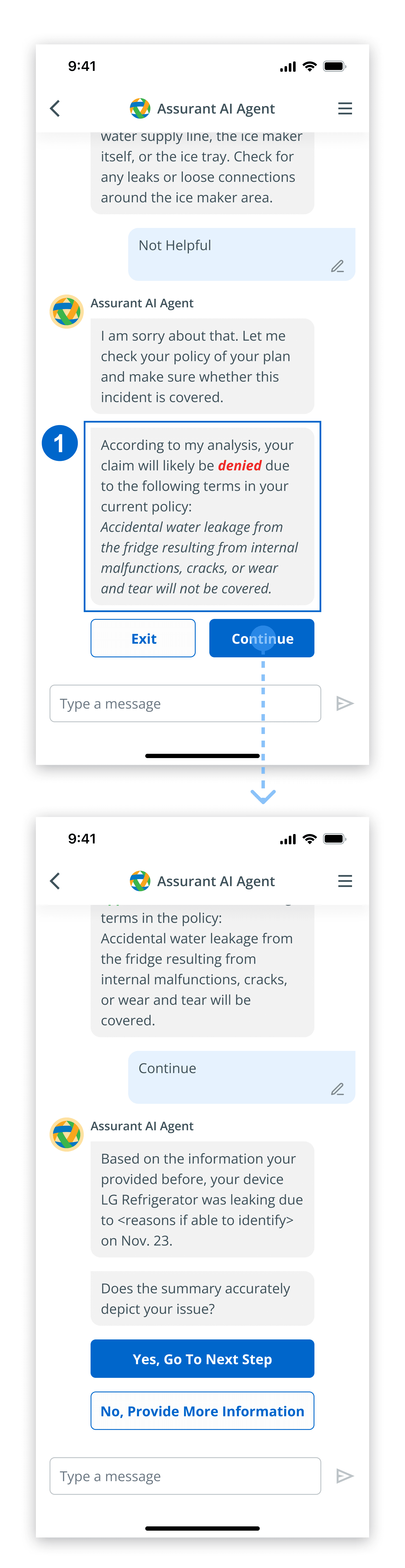
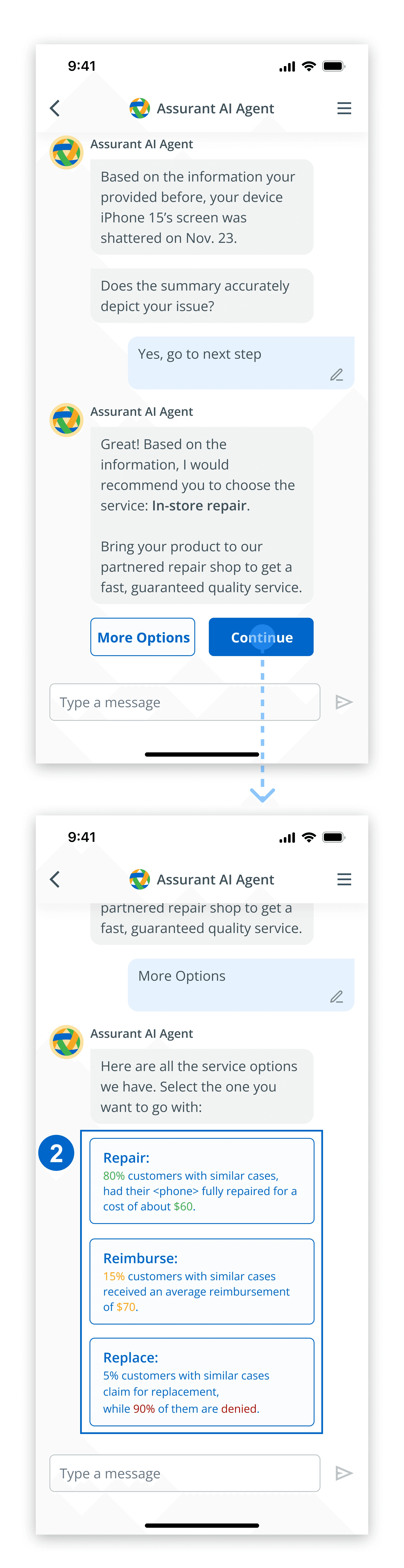
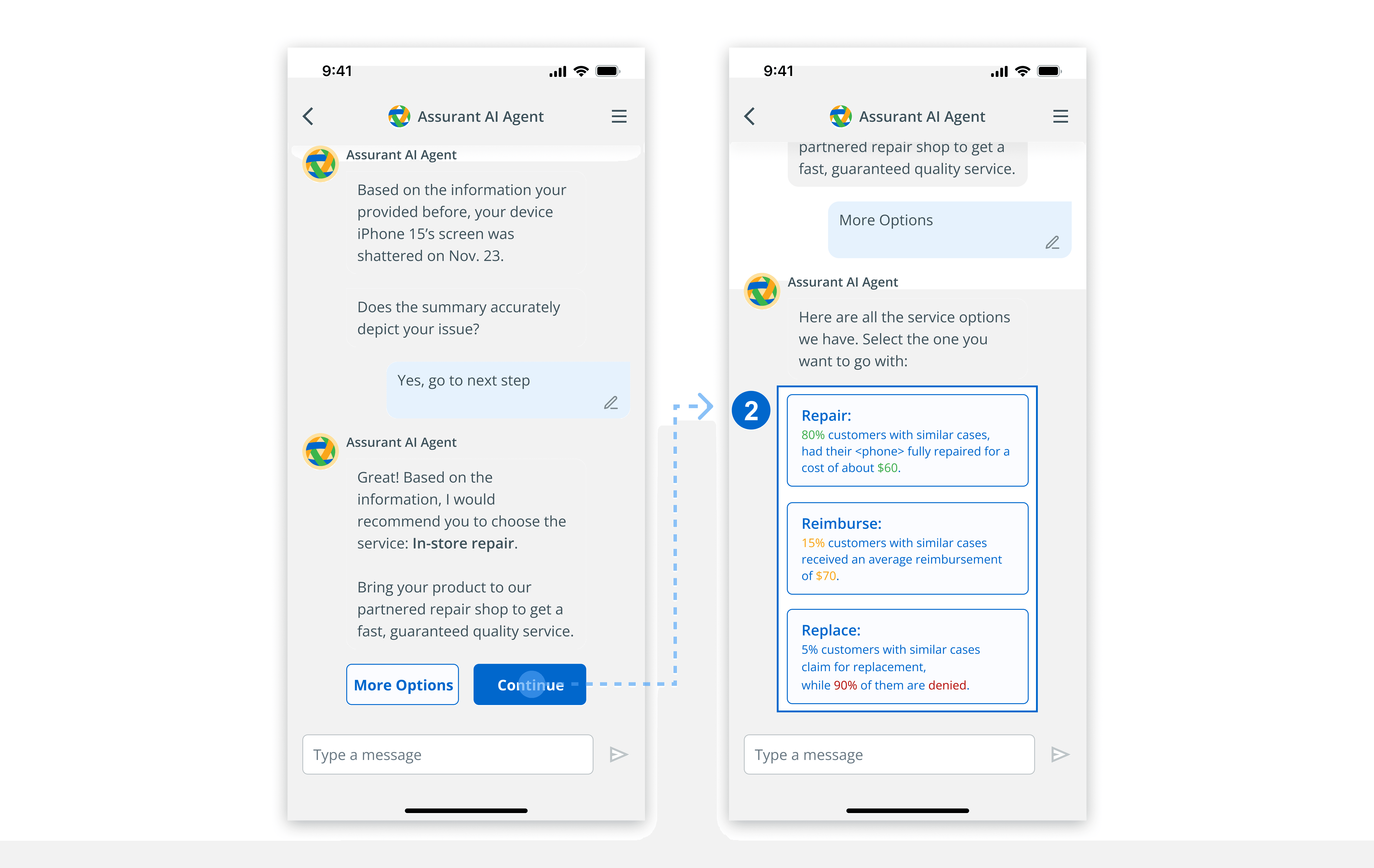
I leveraged AI to suggest the claiming method most likely to succeed based on the user’s input, while also providing alternative options.
FEATURE 2 - sOLVING PROBLEM 2
Design Self-Diagnosis Feature to Alleviate Repair Resource Scarcity
Problem 2
Users were dissatisfied with inconsistent service for on-site repairs.
Solution 2
I helped with brainstorming a self-diagnosis process in the flow to provide users with immediate support to resolve it independently. This approach also helped save customer support calls and repair services by reducing the need for on-site repairs for minor issues users can fix themselves.

FEATURE 3 - sOLVING PROBLEM 3
Simplify Navigation with Clear CTAs and a Transparent Status Page
Problem 3
The current process overwhelms users. Redundant information entry, lack of feedback or confirmation, and the absence of transparency on policies and terms further add to the confusion.
Solution 3
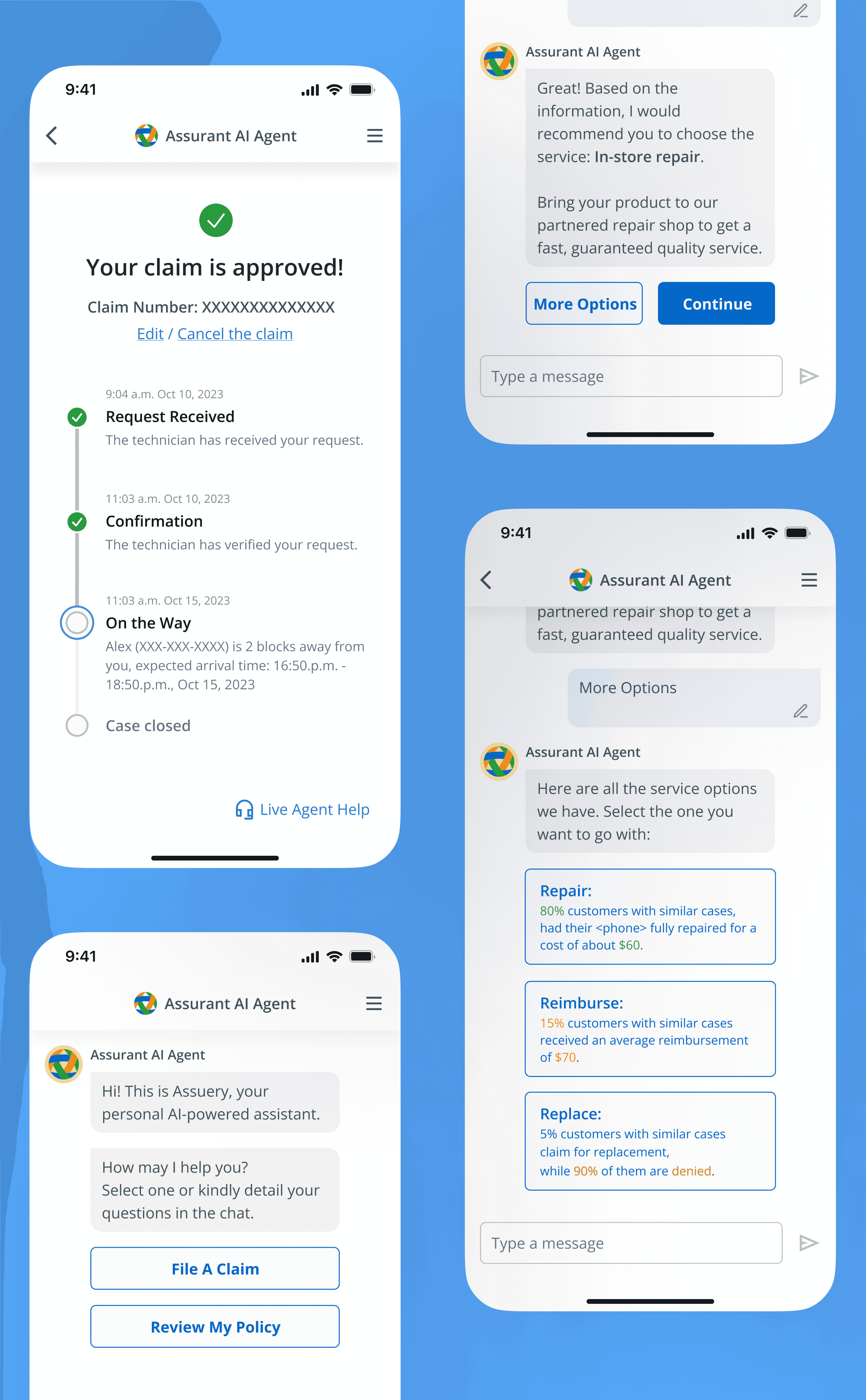
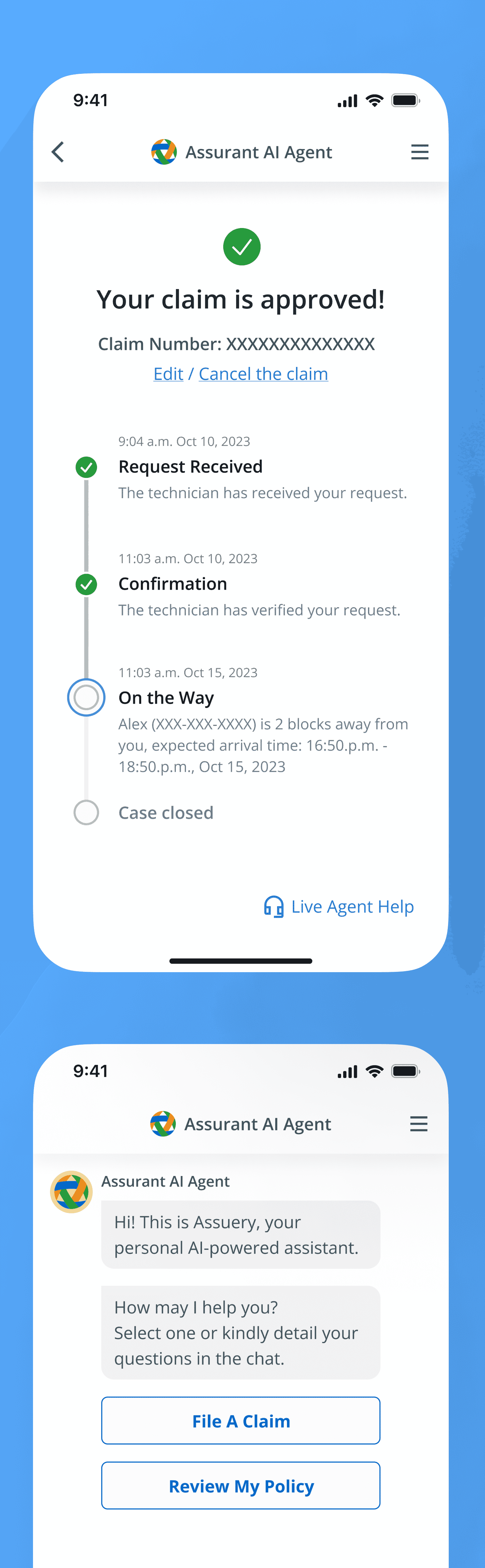
Once the claim was submitted, I made the status transparent so users understood where they were and were guided on the next steps, if necessary.
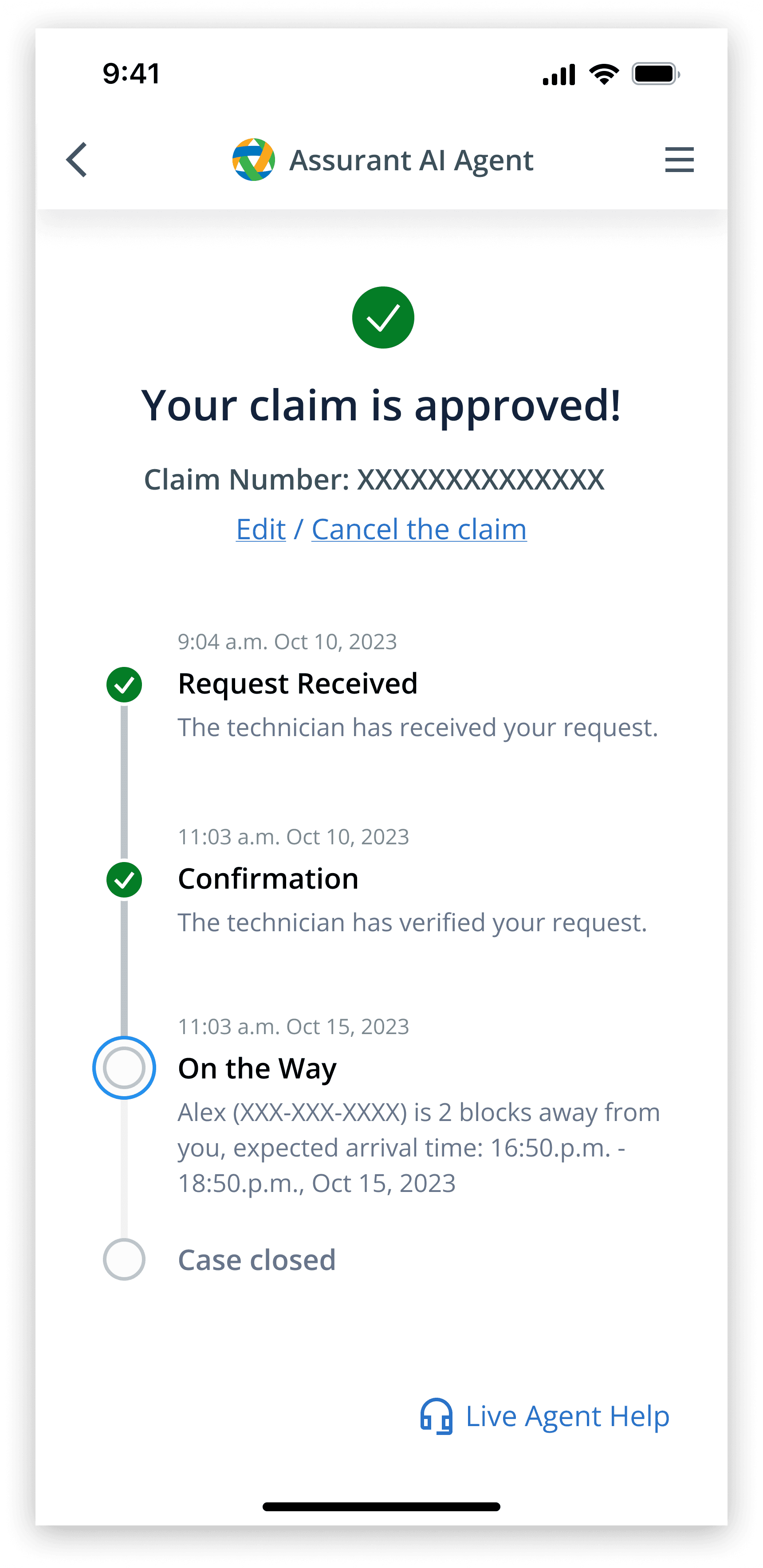
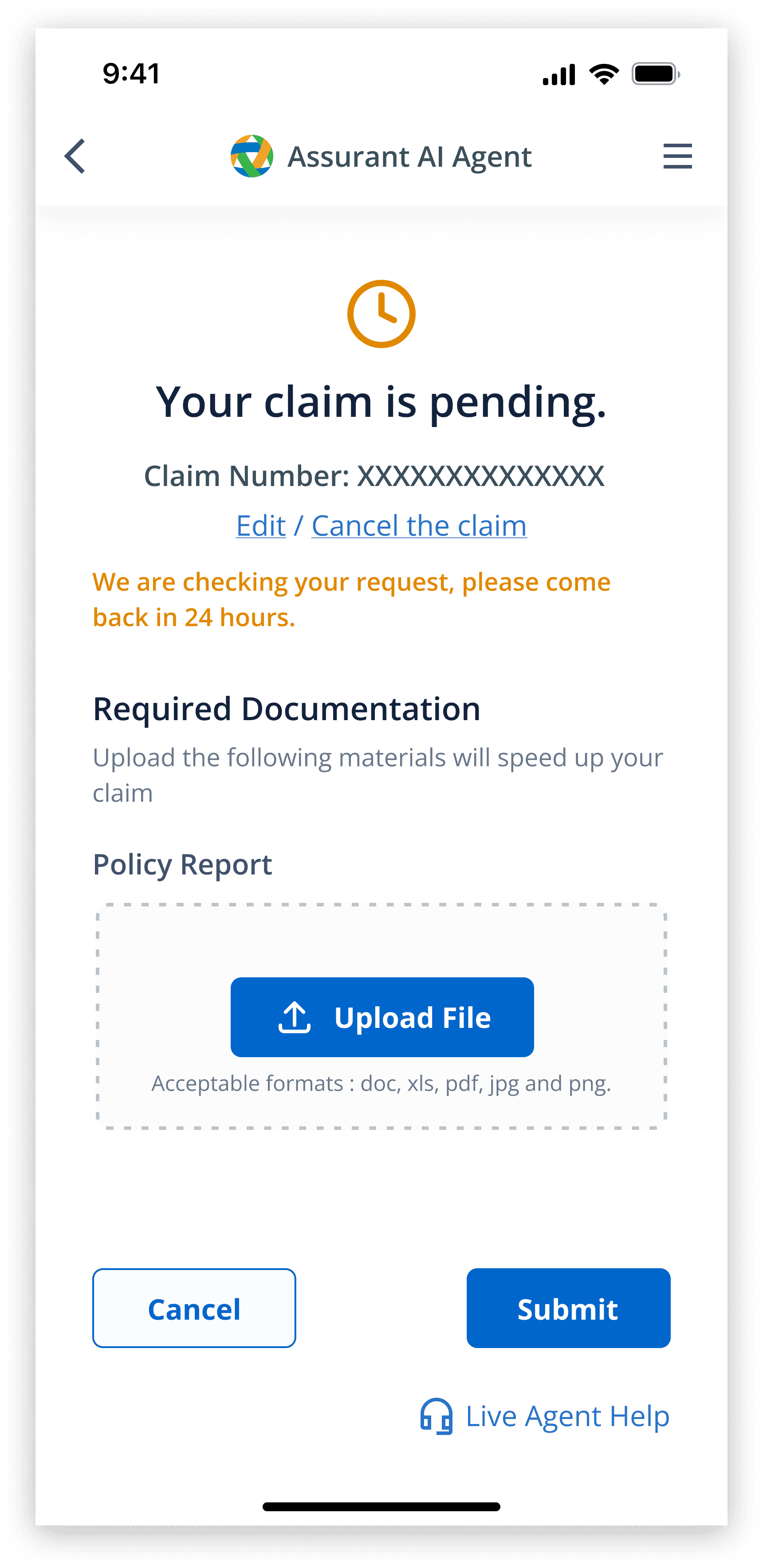
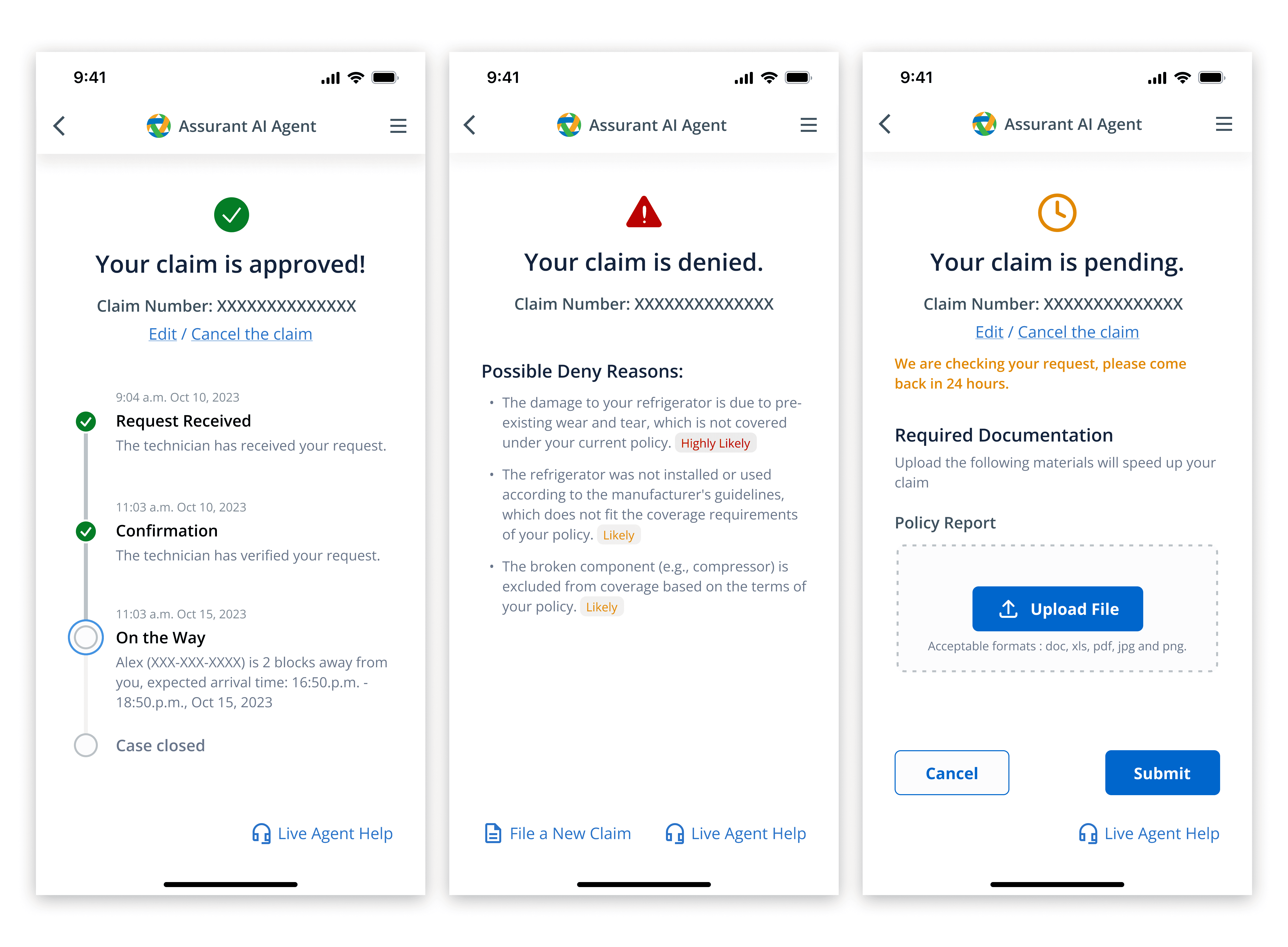
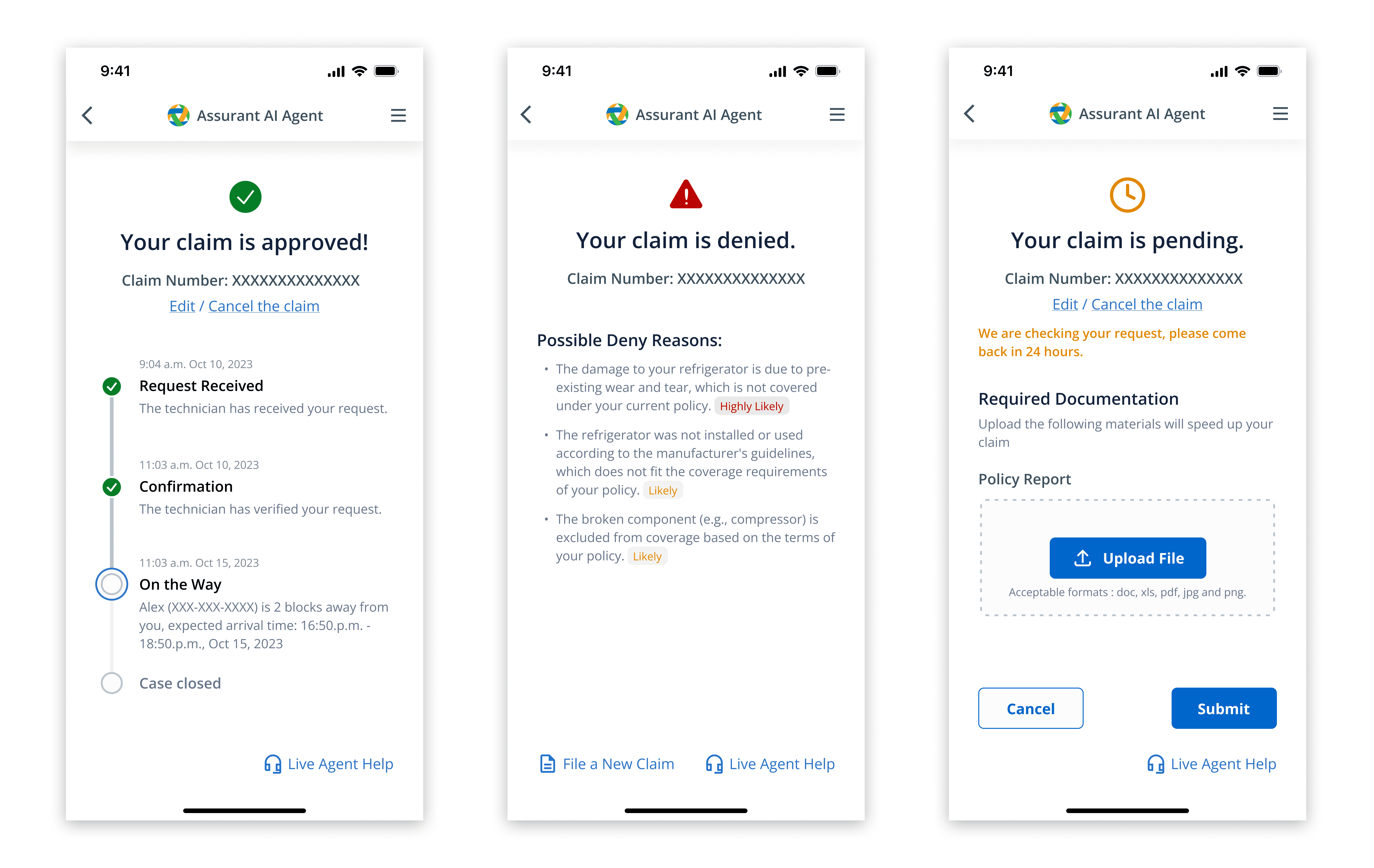
I used buttons for simple inputs to reduce effort and guide users seamlessly. The AI also adopted a warm, conversational tone.
Final Solution
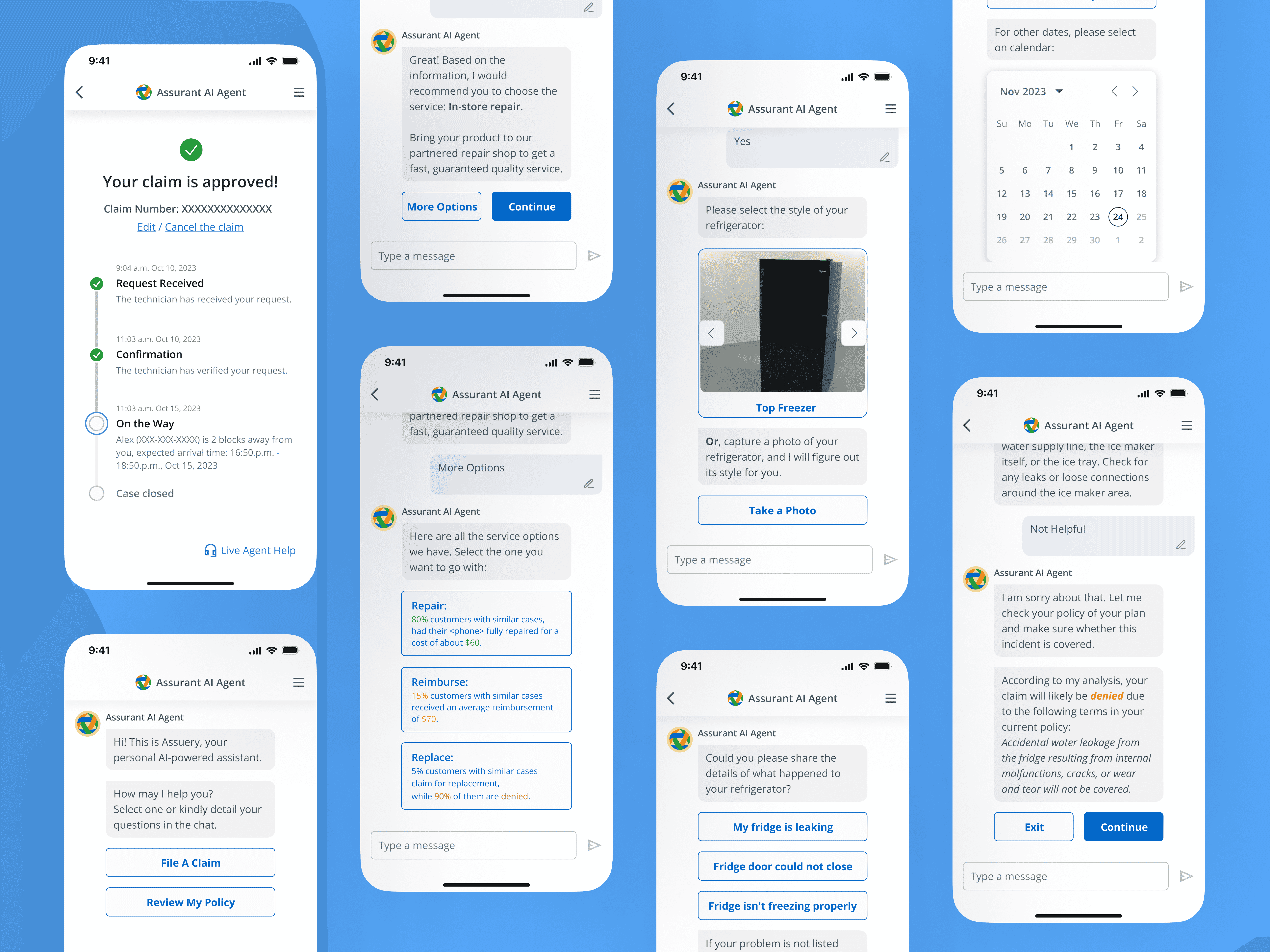
After solving these three problems, I put them together into one AI chatbot solution with
Intuitive claim flow
Claim outcome predictions at key points
Transparent claim result status
Self-diagnosis feature
Effortless navigation (e.g., buttons, dropdowns)
Warm, conversational tone
Feel Free to try the prototype!
User Evaluation & Design improvements
The AI chatbot was positively received in user testing but had some problems
I conducted the user testing with 12 participants, where they completed tasks using the prototype, followed by a brief interview.
All users appreciated the chatbot's efficiency.
"The interaction with the AI agent is very straightforward. I don't require any knowledge or assistance from others to successfully file a claim."
“AI agent guides me through the steps and throws in useful recommendations, making the whole process quicker and smoother”
Participants gave suggestions in a couple of areas of our application. I made some improvements.
Feedback 1
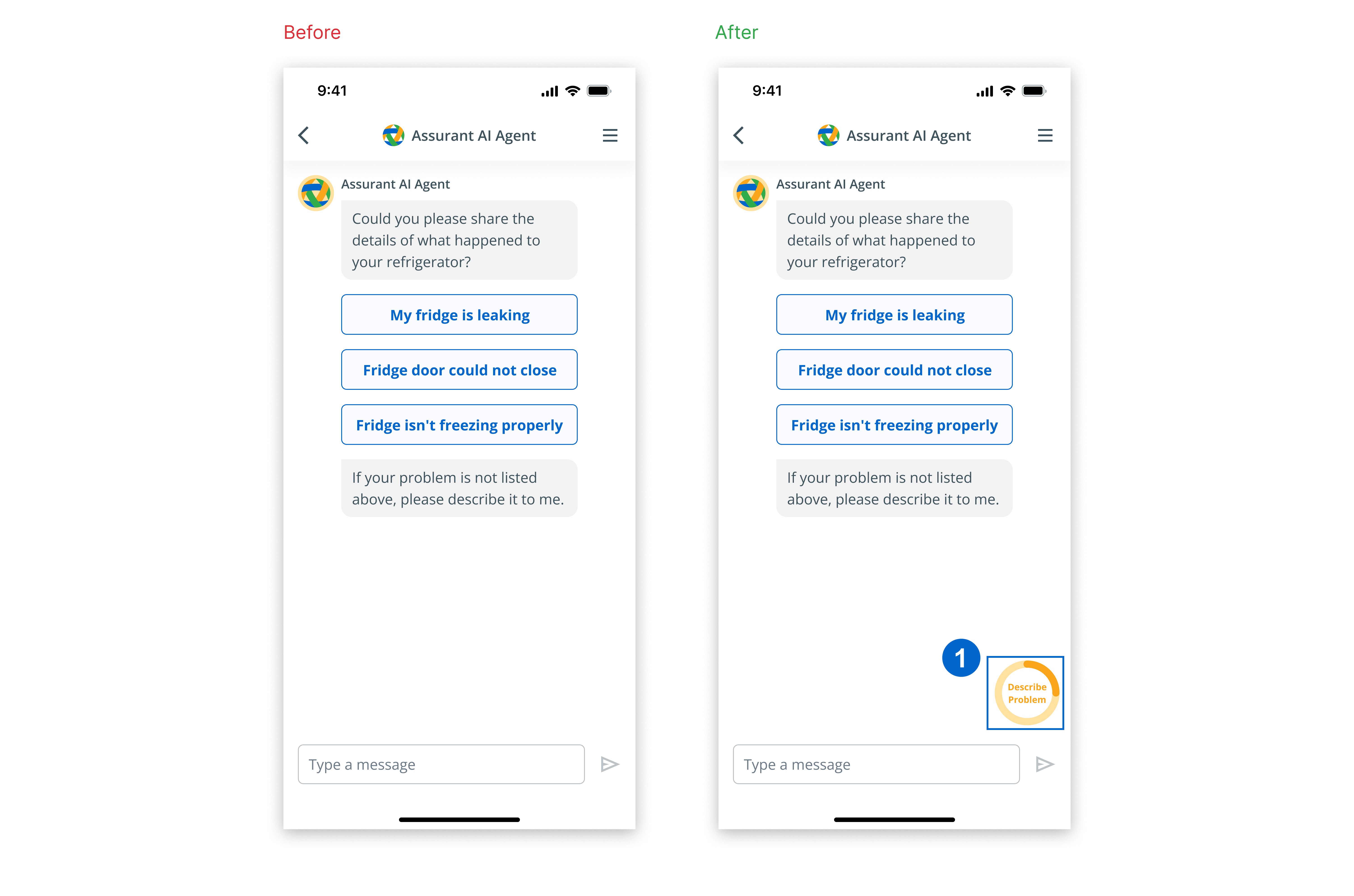
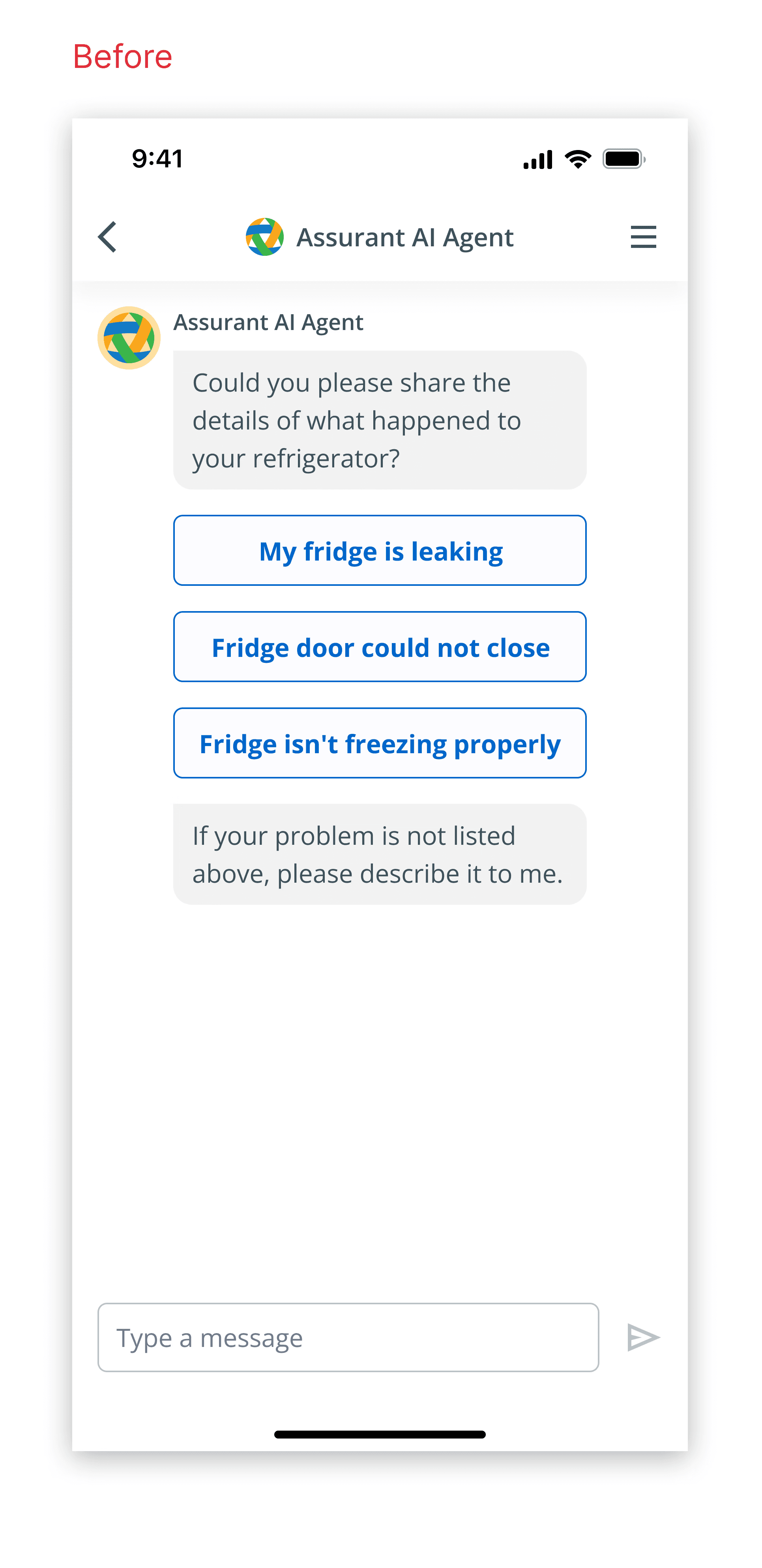
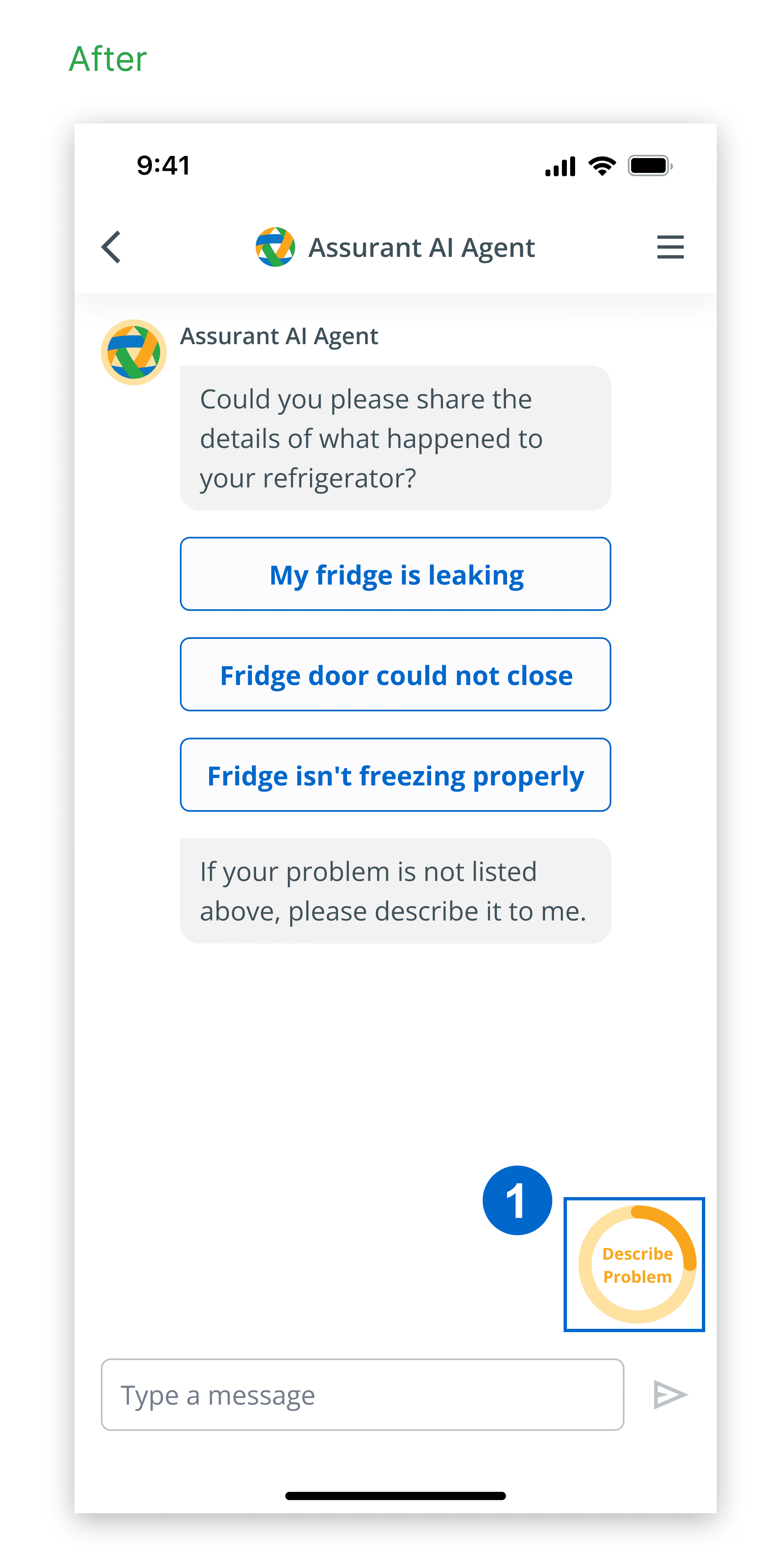
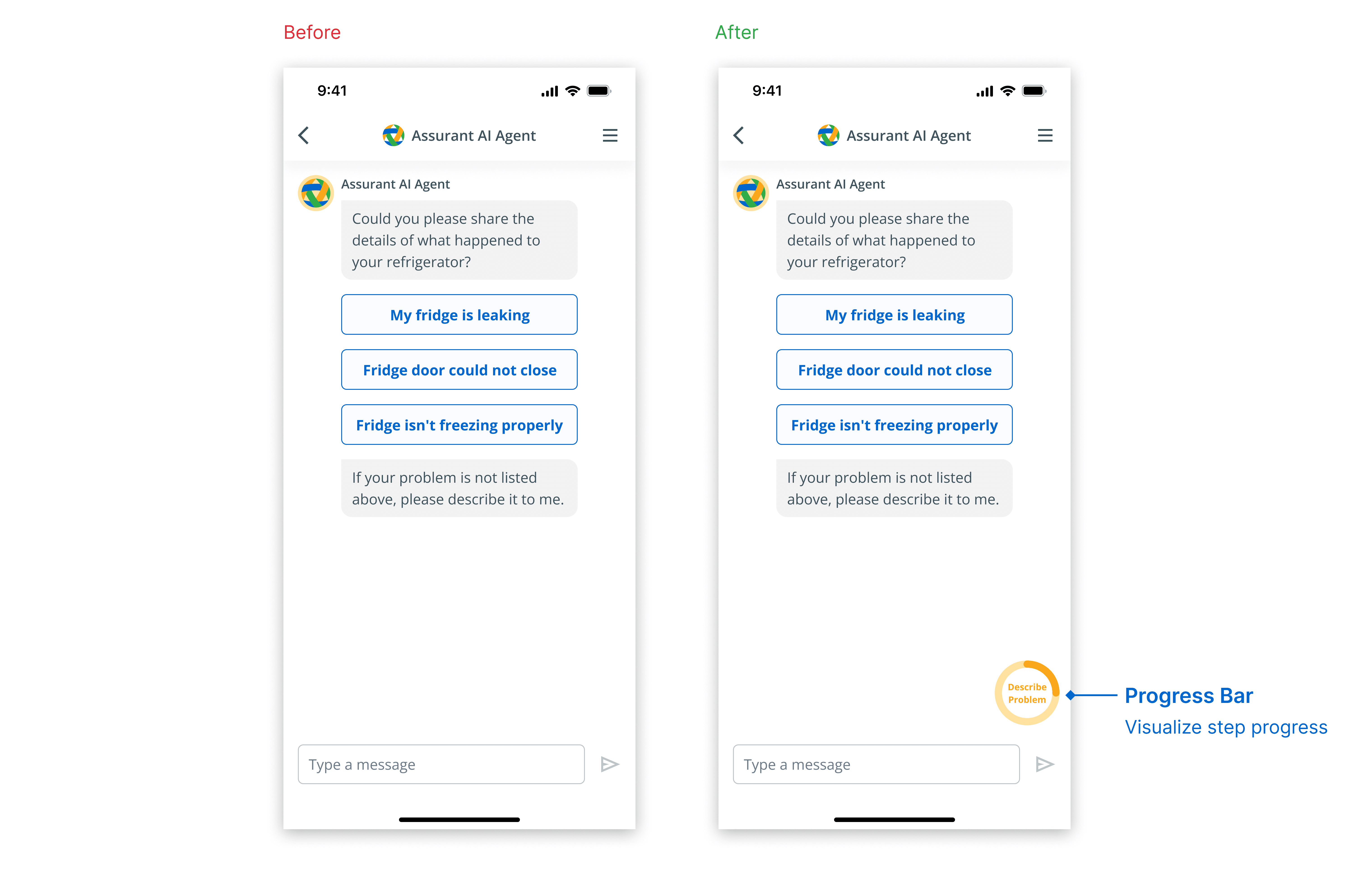
Participants wanted to be aware of how many steps were left
Design Solution 1
I added a progress bar to track the user's progress when users started filing a claim.
Feedback 2
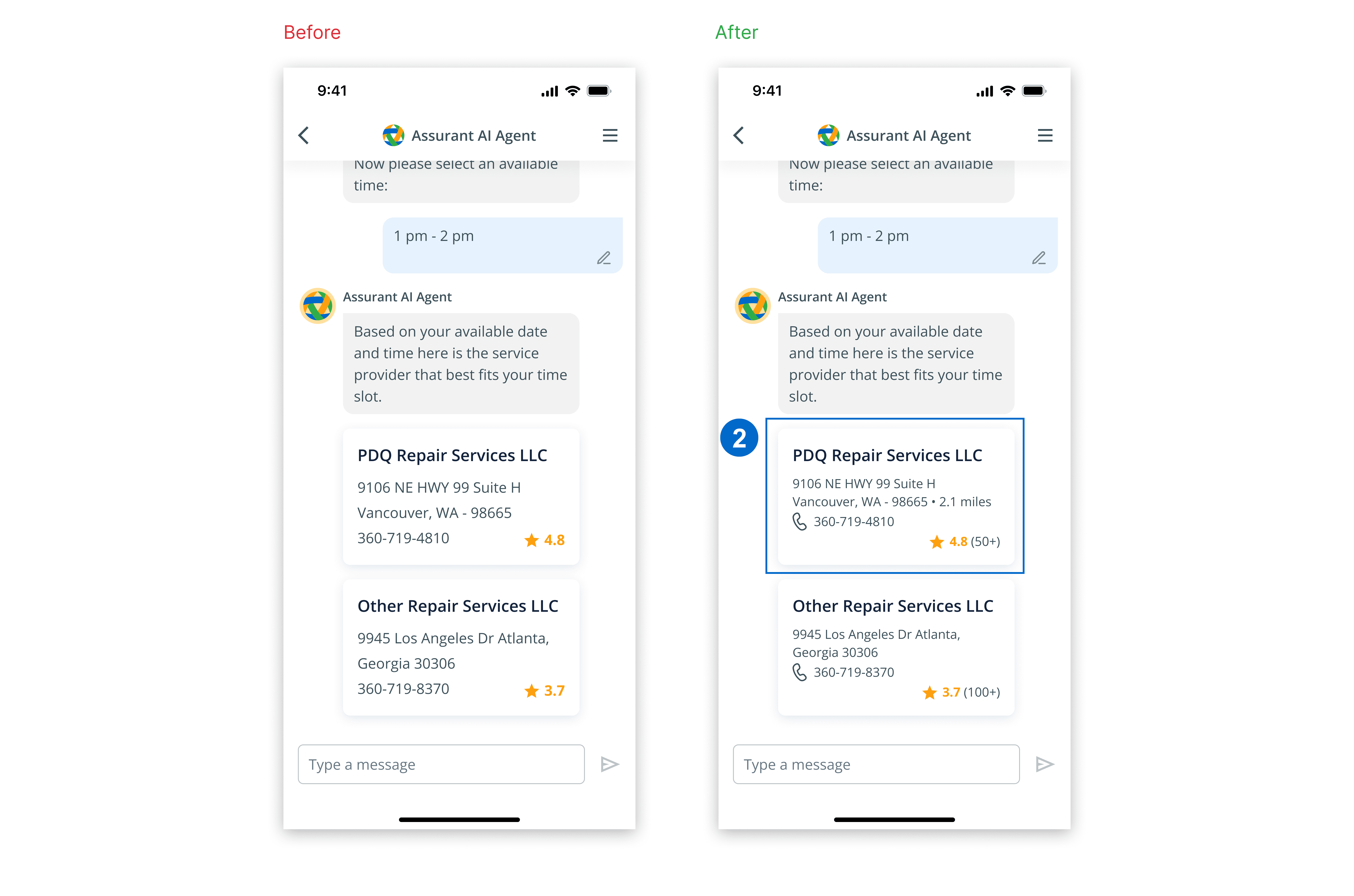
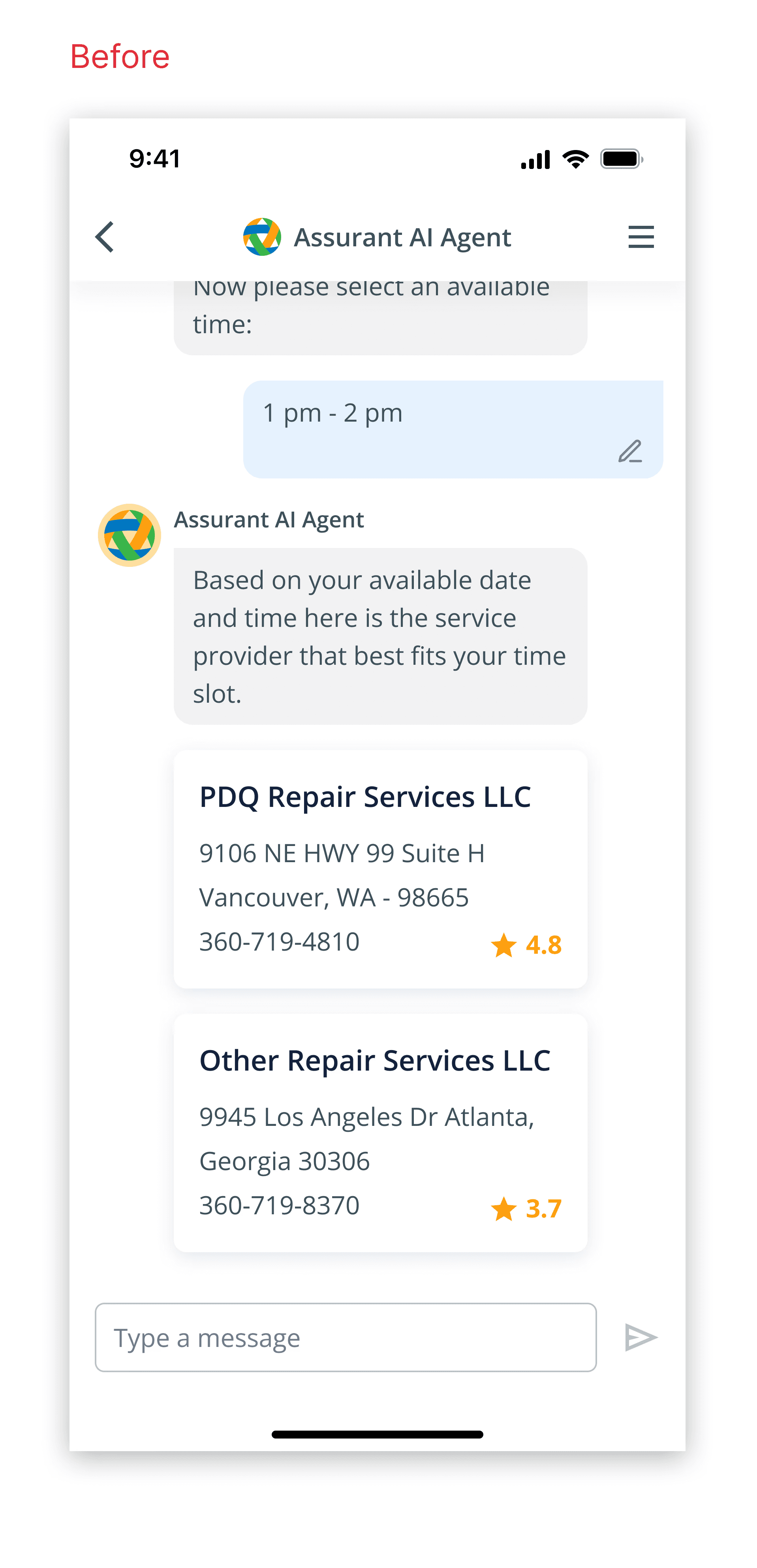
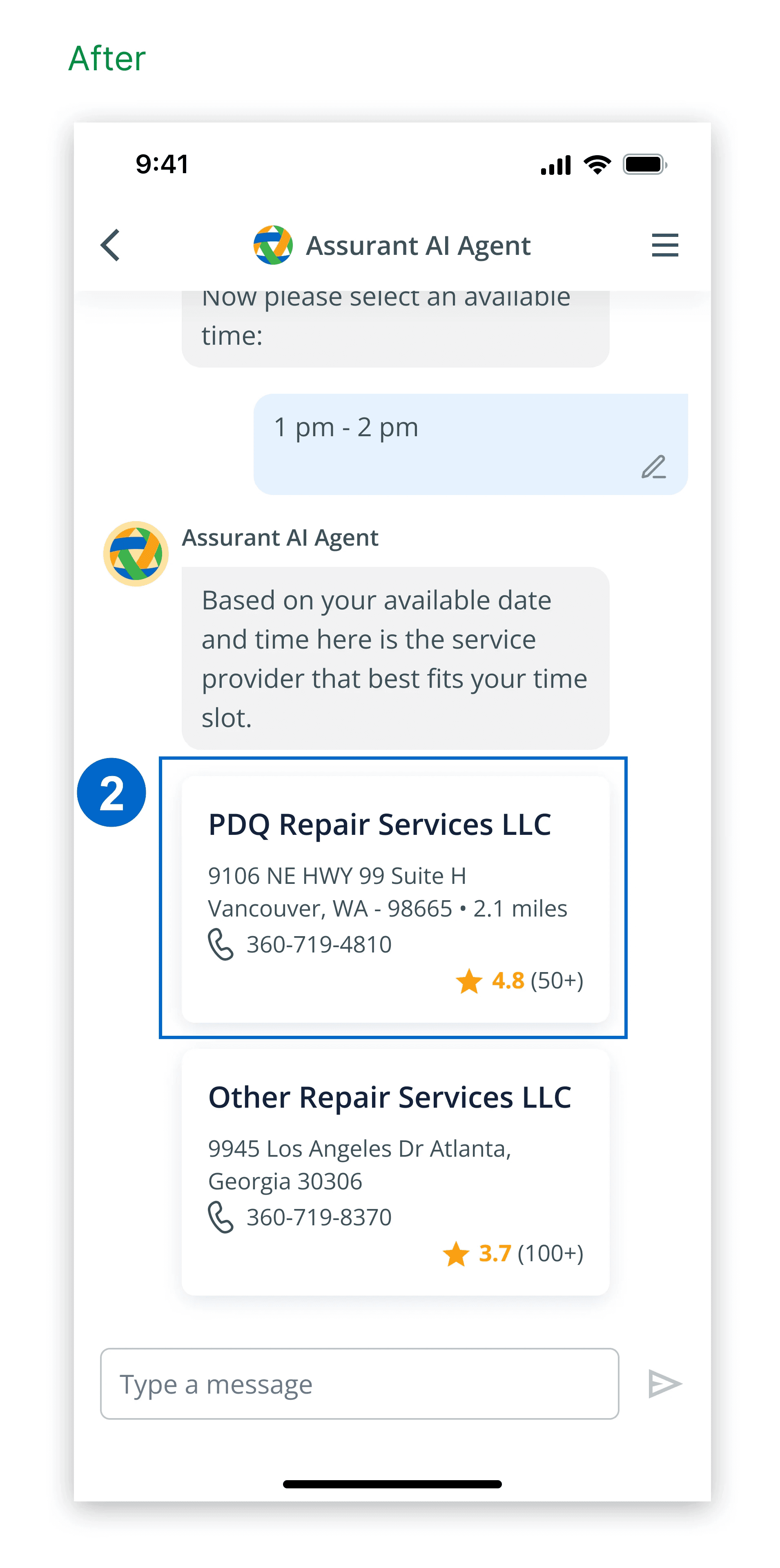
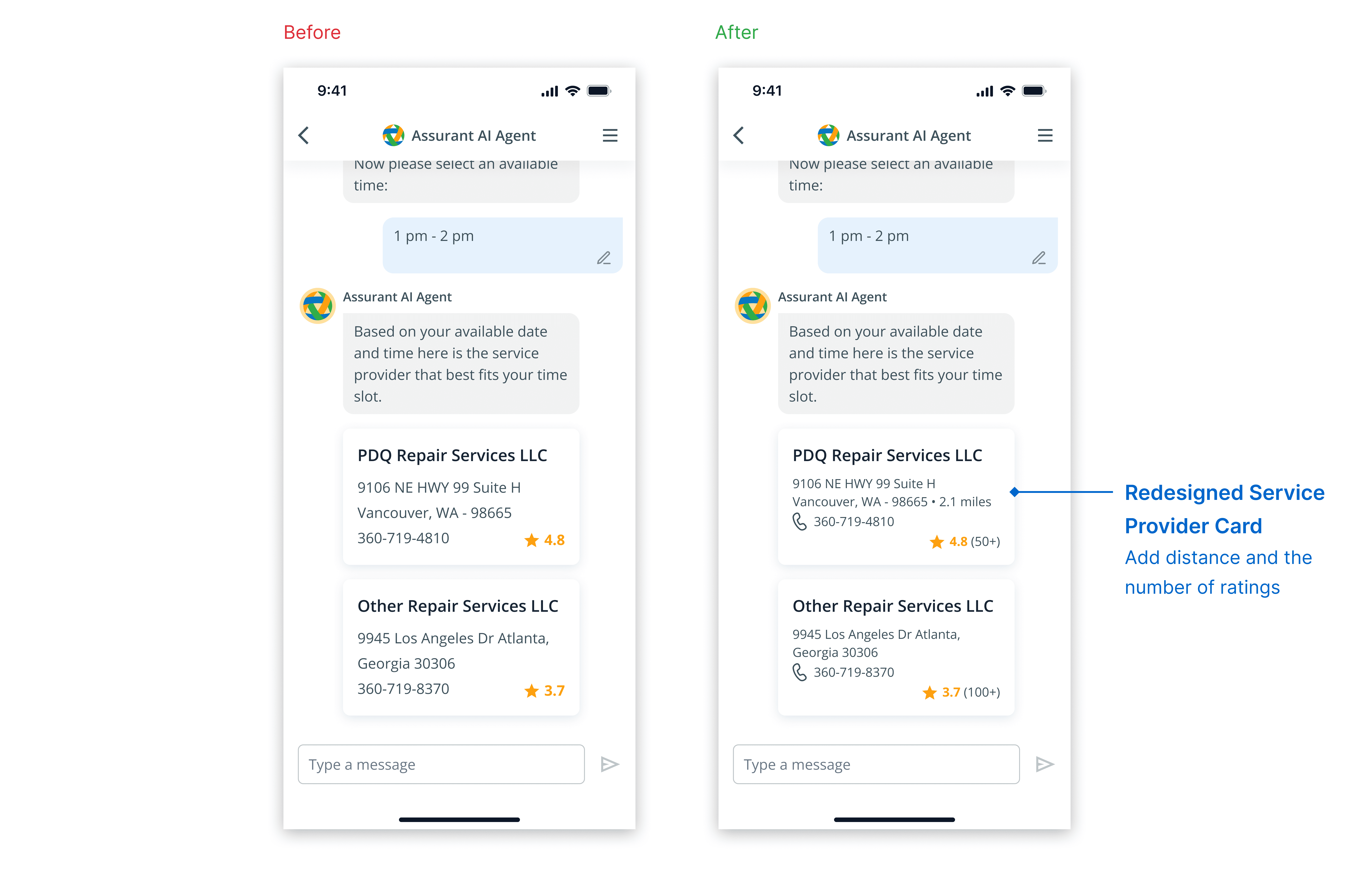
Participants needed more details to choose a service provider for claims requiring on-site actions.
Design Solution 2
I redesigned the provider card to include the right amount of information.
Feedback 3
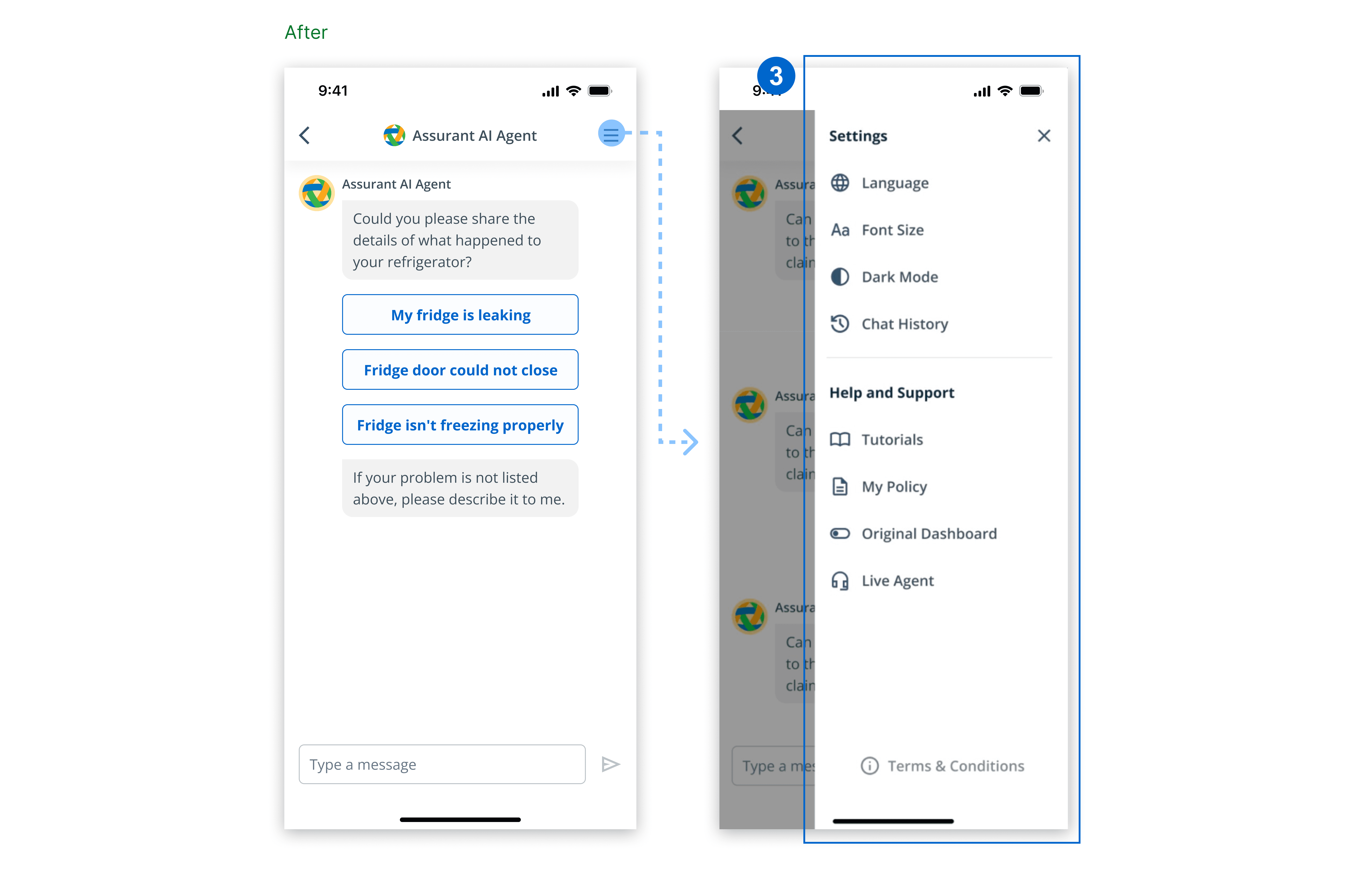
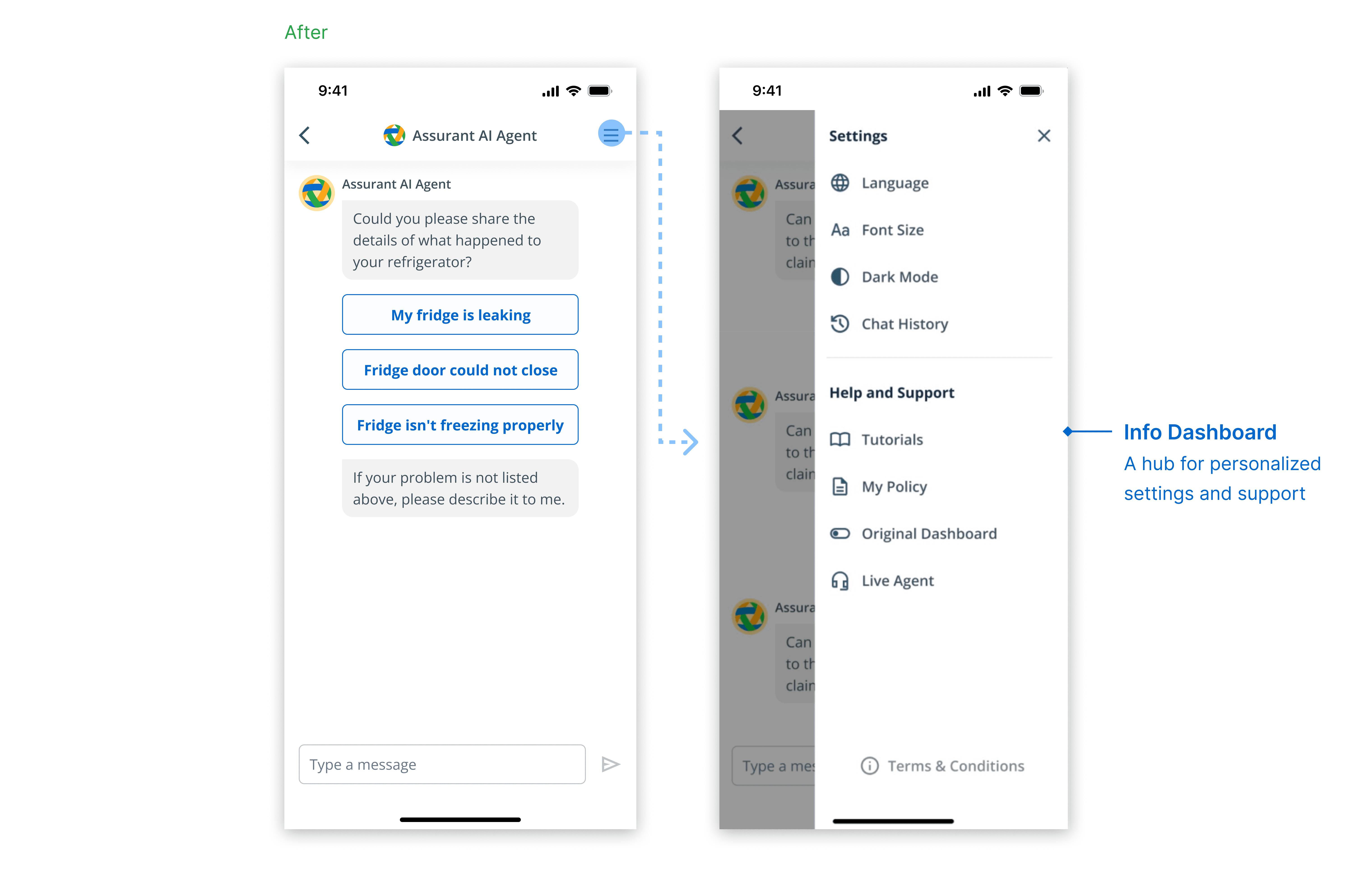
Participants highlighted the need for language accessibility and the ability to check chat history, which could be a focus for future roadmaps.
Design Solution 3
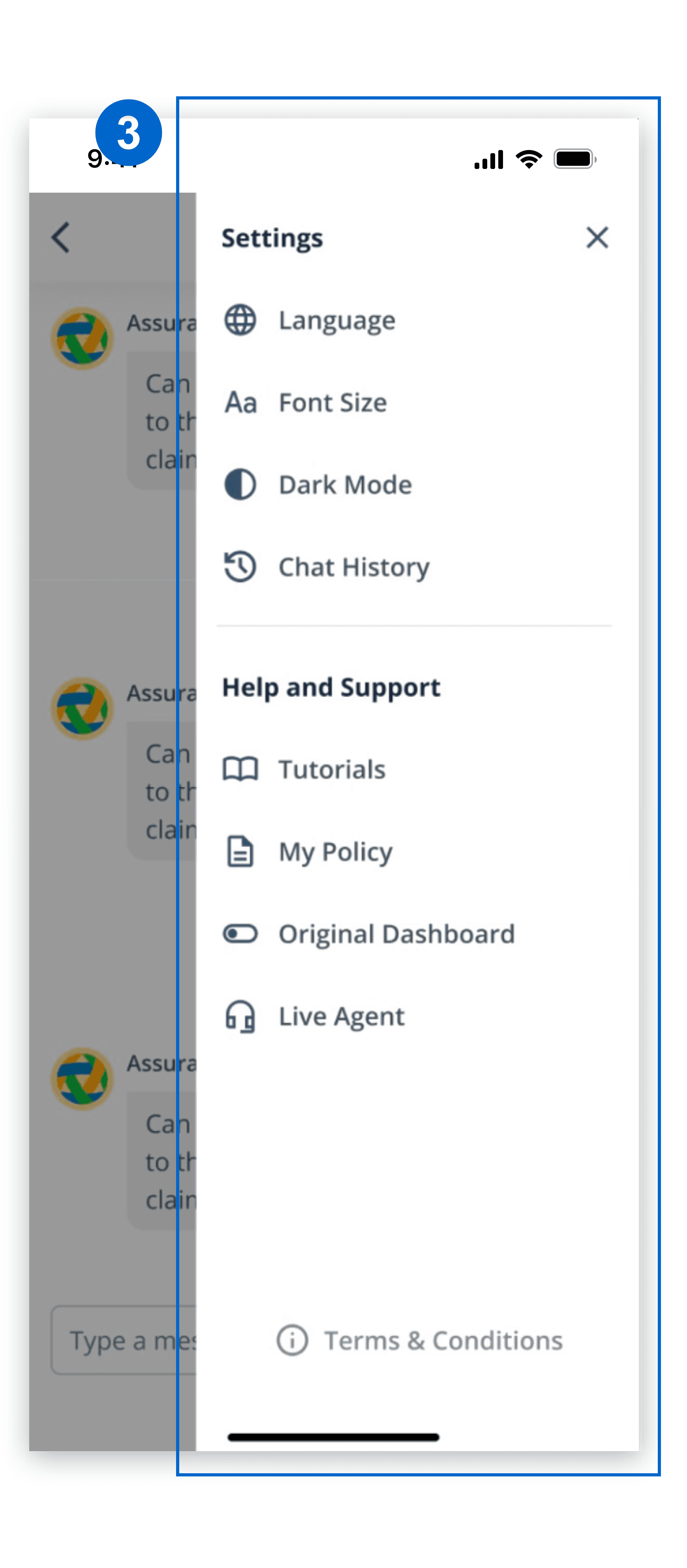
I developed a dashboard for multiple personalized accessibility settings, including language options, chat history access, visual accessibility, policy information, etc.
Design System
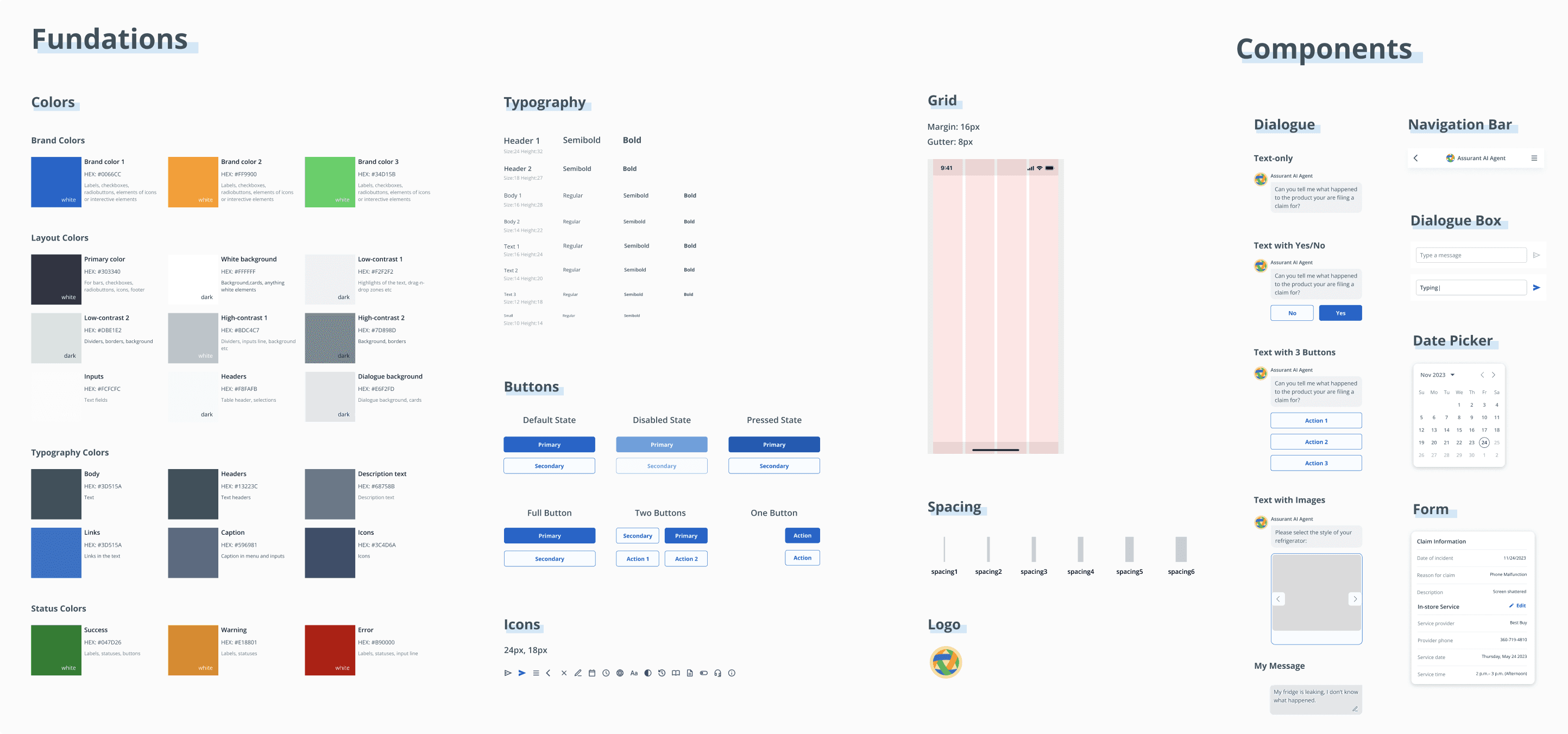
Add New UI Components to the Design System
I integrated new AI chatbot components into Assurant's design system, ensuring they align with the existing brand style.
Impact
The design validated the need for an AI Chatbot
6.5 -> 9
80.6 (Excellent)
It impacted the company's roadmap, becoming a blueprint for the claims filing process and an important reference for future developments.
“The insight discovery is incredibly thorough, and I’m impressed by how well your design ties back to it. And the entire design is very polished and professional, especially given the short time frame.”
- Assurant UX Lead