Designing Performance & Injury Tracking for PRO ATHLETE
B2C
V2 Redesign
Workflow Revamp
350+ Paid Subscribers
PRO-ATHLETE, a training app with 350+ paid subscribers, aims to reduce injuries and enhance performance. Version 1 lacked injury and performance tracking, limiting adoption and engagement. I was hired to design version 2 (0 -> 1) to address these gaps.
Solution – Athlete Version: Athletes can visually track performance and injury recovery to stay motivated
Track training programs
Add an injury
Update an injury
Solution – Coach Version: Coaches can track athlete performance and injuries to adjust programs accordingly
Add athletes to a team
Add to a team (Athlete side)
Challenge
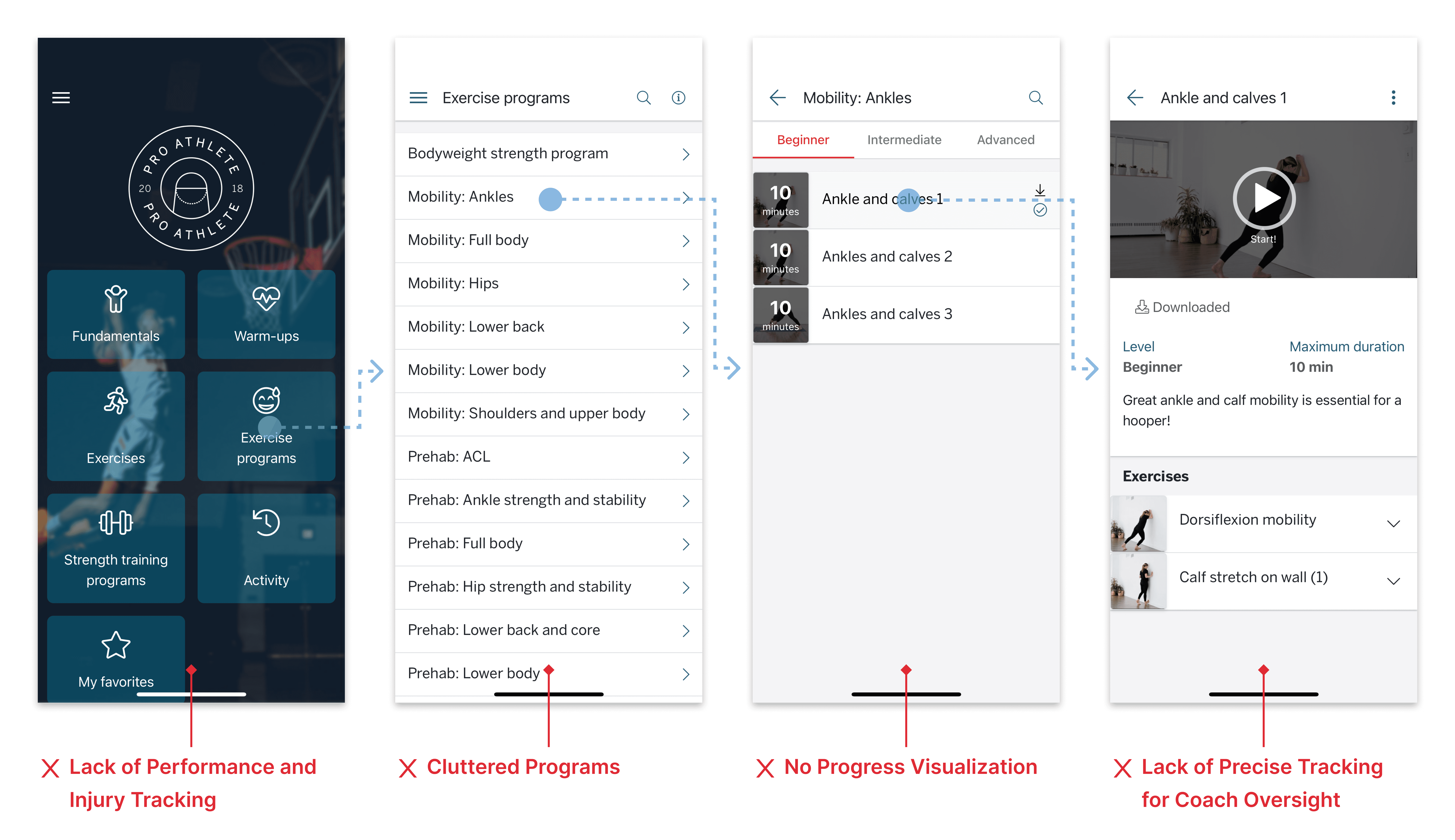
The first version of the app didn’t provide enough value for coaches and athletes
To make the Version 2 app more compelling, I worked with the client and coaches to identify valuable features that addressed unmet user needs. I identified:

Solution Design
I revamped the app (Version 2) with performance and injury tracking, delivering a final solution with 4 key new features.


Design & Iteration - Feature 1
Athlete Training & Performance Tracking

As an athlete, Charlotte tracks her training progress so she can stay motivated. Her coach also needs to monitor her performance and provide feedback.
Iteration 1
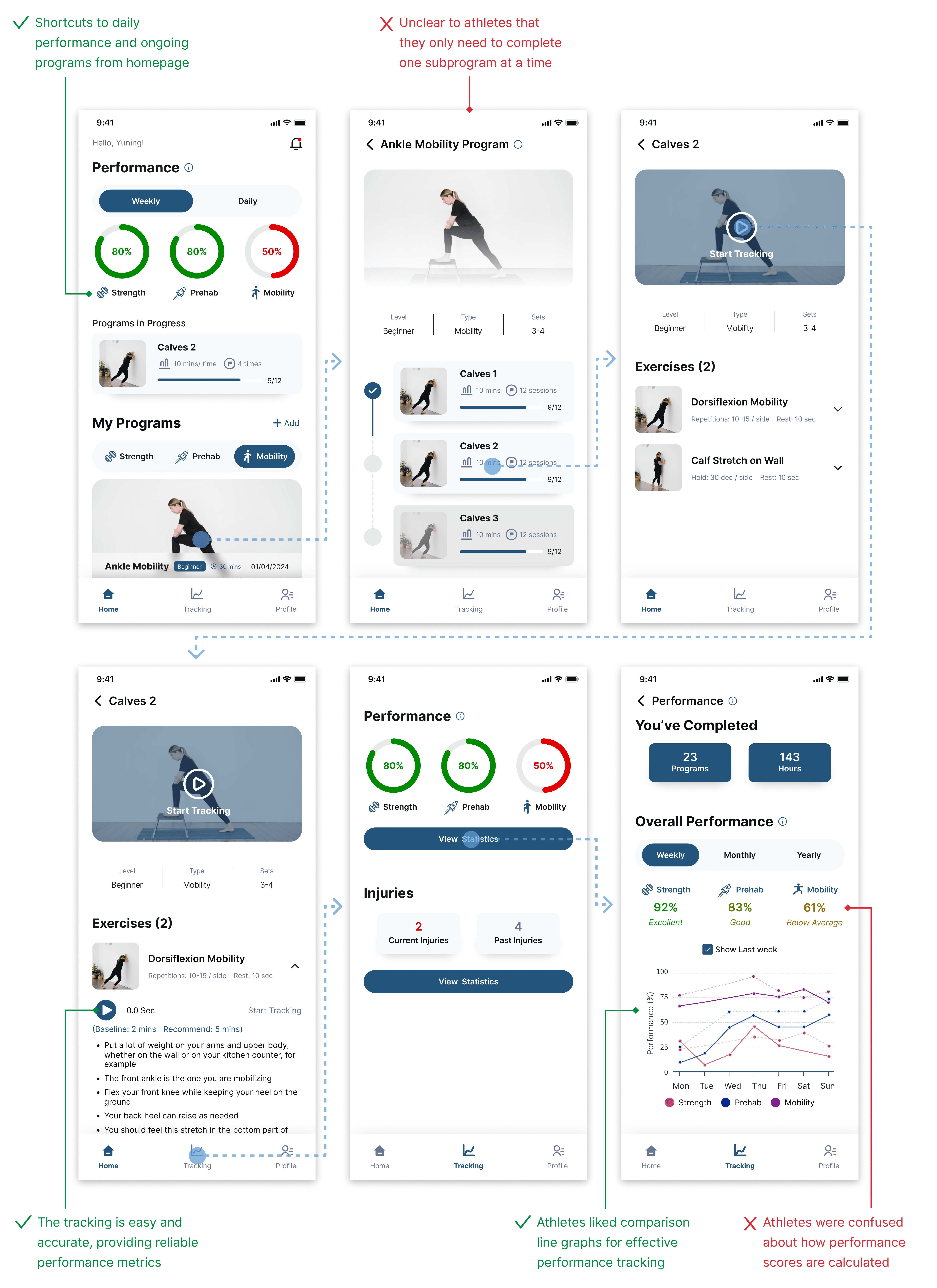
I designed a new dashboard to include performance metrics, ongoing sub-programs, and current programs, organized by training categories.
I designed the program page to help athletes visualize their progress.
I created a tracking method where athletes click ‘Start Tracking’, providing both athletes and coaches with performance data.
I designed a performance page enabling athletes to track category-specific performance over different time periods with intuitive line graphs.
However, there were some issues based on user testing:

Iteration 2
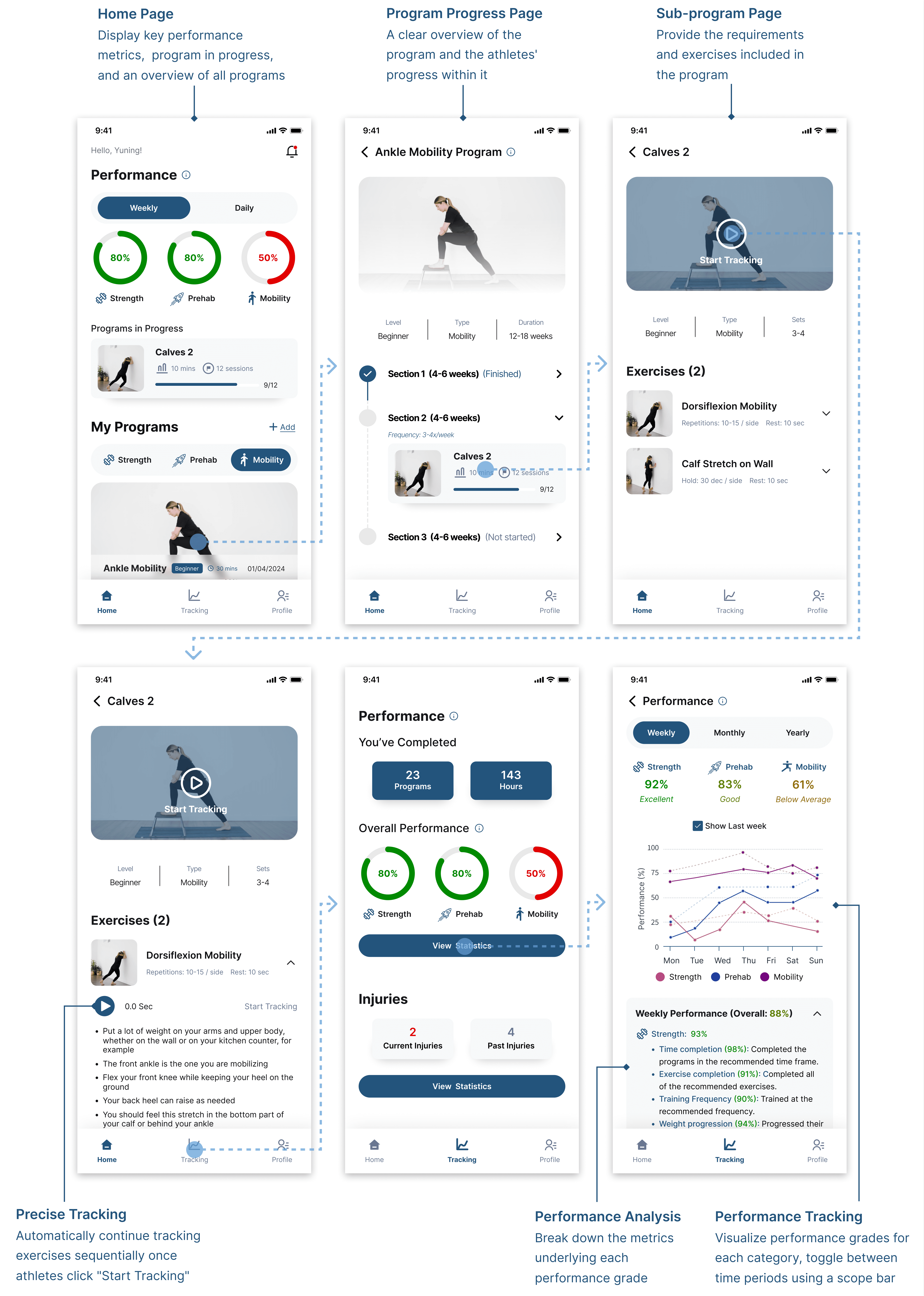
✅ In response to athletes' need to understand how their performance grades are calculated, I designed a performance analysis card that breaks down the metrics behind each score with explanations.
✅ I redesigned the program page so that it's clear only the current sub-program needs to be completed each day.

Design & Iteration - Feature 2
Athlete Injury & Recovery Tracking
As an athlete, Charlotte wants to track her injury data, while her coach also needs to rely on her injury records to tailor her training plan.
Iteration 1
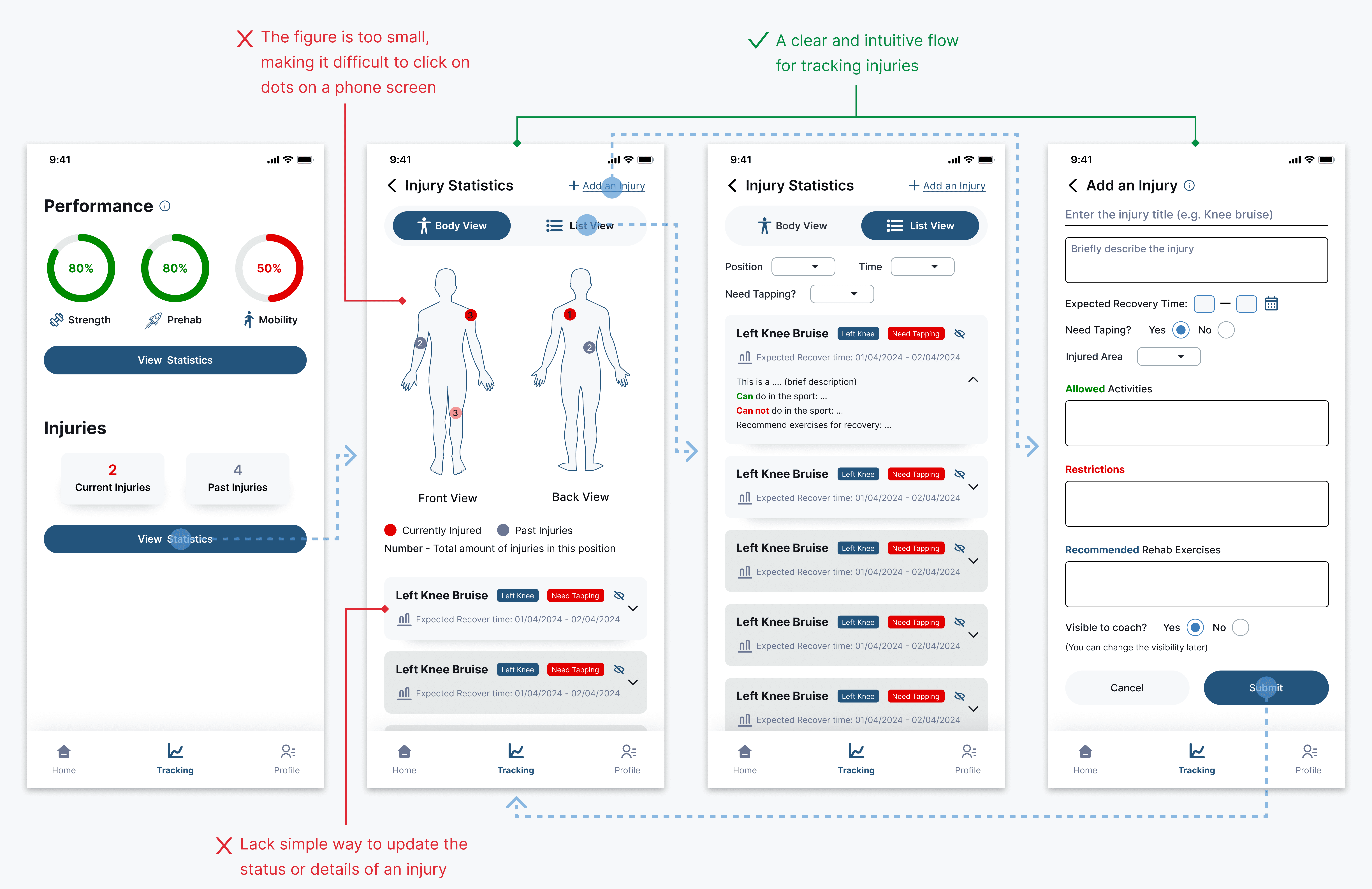
I visualized injuries on an interactive graph and connected specific injuries to info cards for easy tracking, with an option to switch to a list view to access all reports quickly.
I created a pre-built template form to simplify recording new injuries.
However, there were some issues based on user testing:

Iteration 2
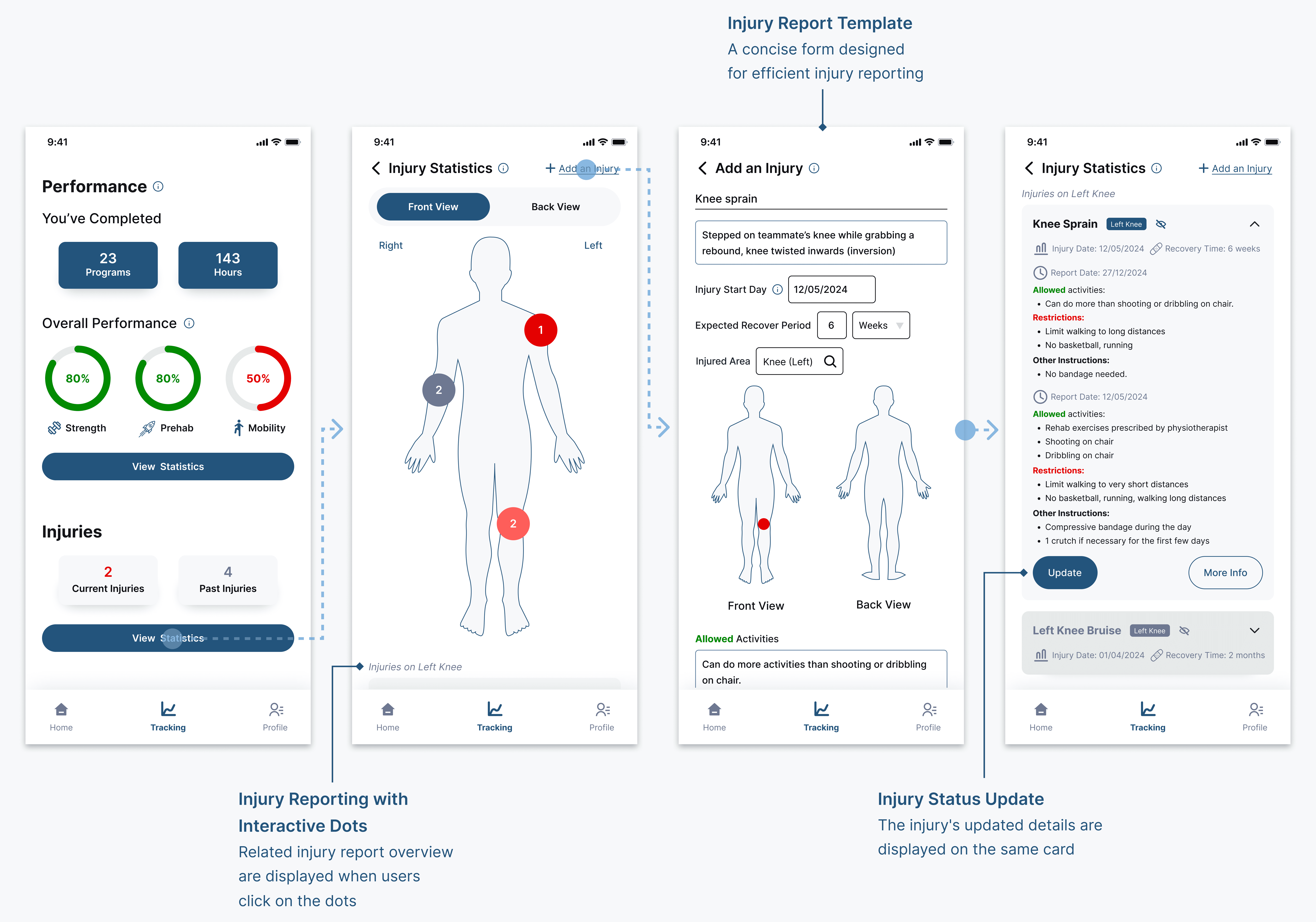
✅ I redesigned the visuals in front and back views, improving usability on the phone screen.
✅ I designed an 'update injury status' flow. This allows physios to click an "Update" button on an injury report, navigate to a pre-filled template with the latest status, make edits, and submit the updates, which are then reflected on the same injury card.

Design & Iteration - Feature 3
Coach Monitoring of Athlete Training & Performance

As a coach, John wants to monitor athlete performance at both team and individual levels to effectively supervise and tailor training programs as needed.
Iteration 1
I designed a clear, interactive visualization of individual and team performance in a form. Coaches can click on data points on the form or graph to access detailed insights.
However, there were some issues based on user testing:

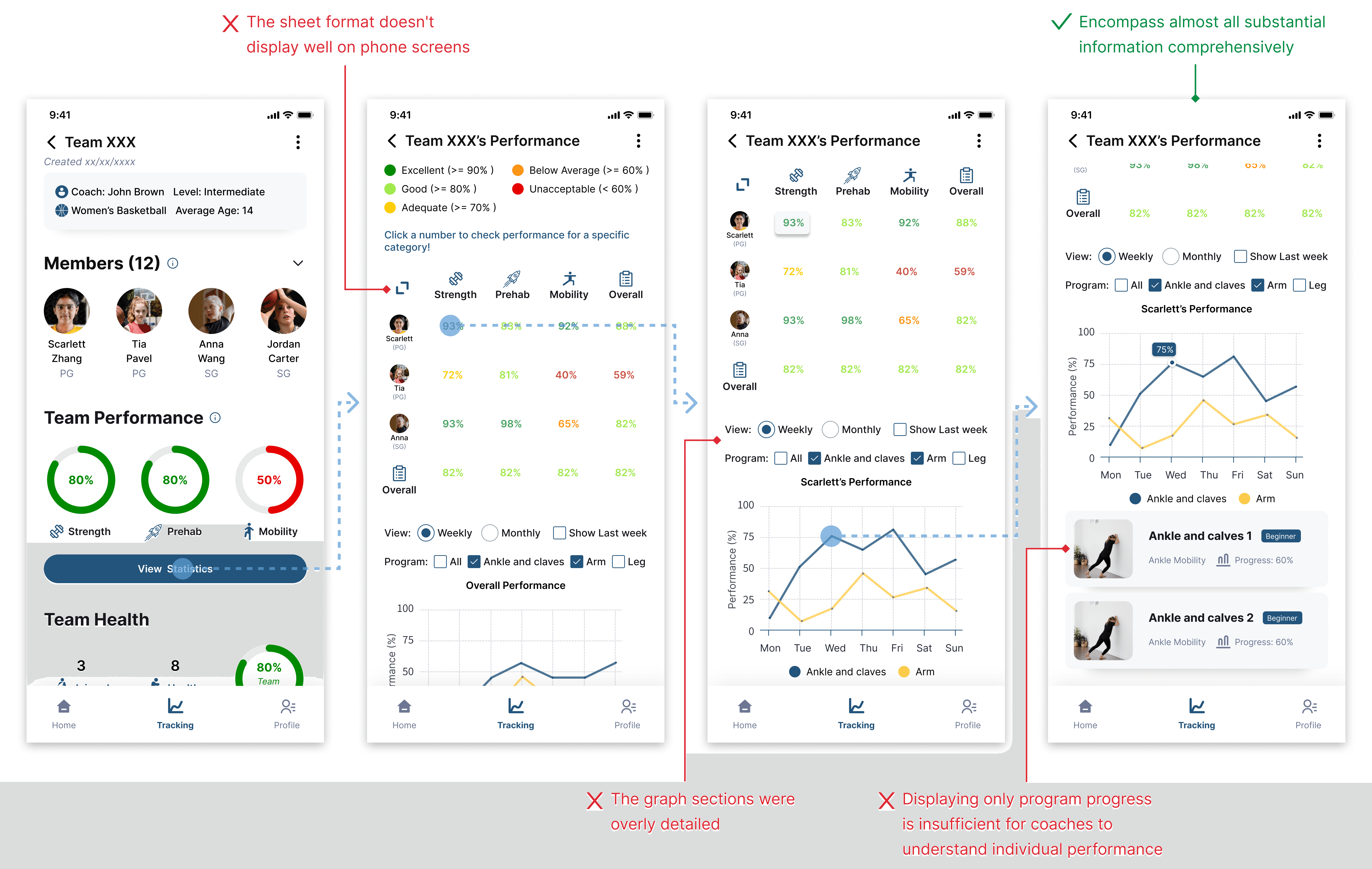
Iteration 2
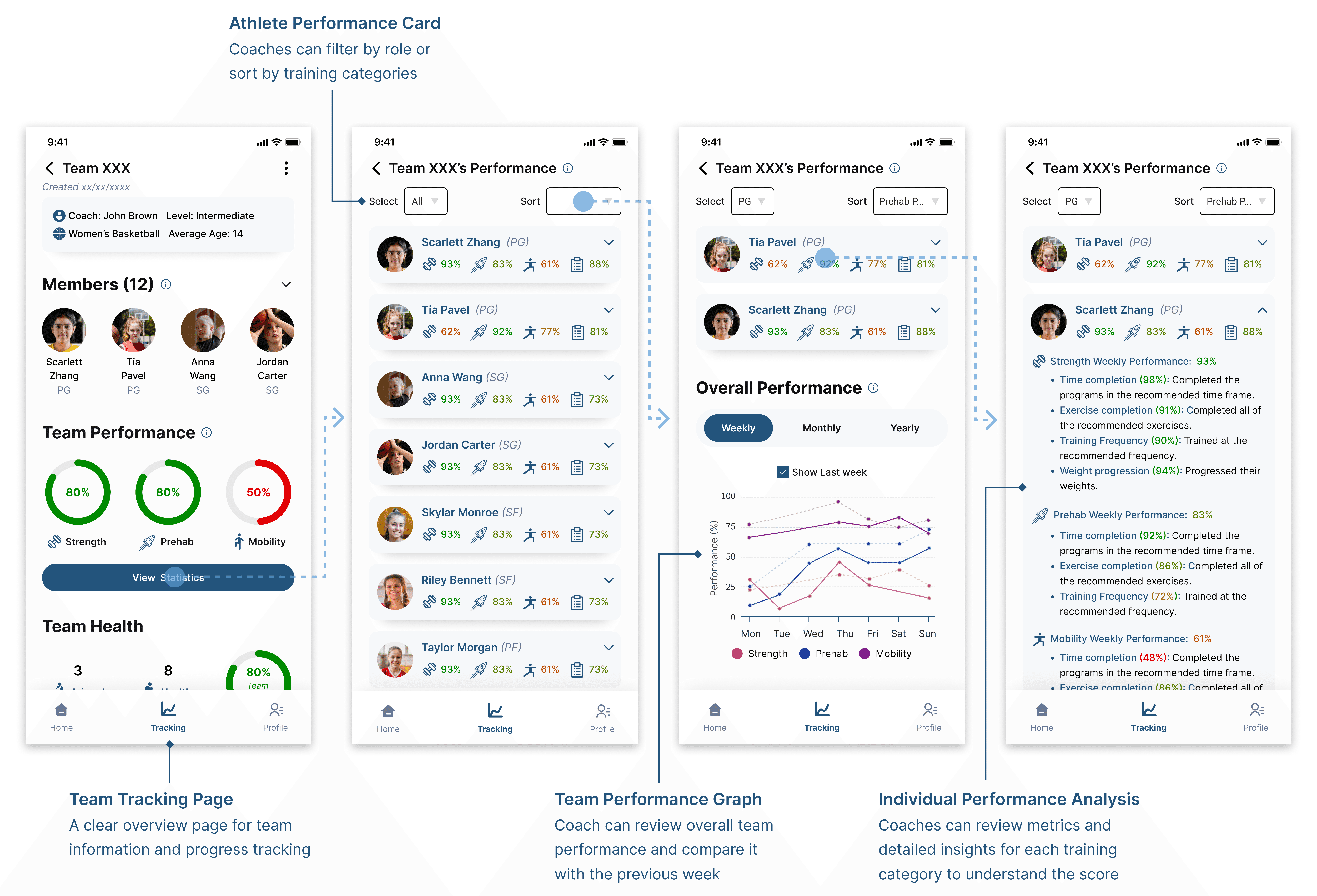
✅ I redesigned a card layout to replace the sheet layout.
✅ As all coaches wanted more details of individual performance scores. I redesigned the card to include breakdown metrics with clear, concise explanations.
✅ I designed an overview team performance graph that visualizes performance over a time period and compares it to the same period previously, positioned under individual stats.

Design & Iteration - Feature 4
Coach Tracking of Athlete Injuries
As a coach, John wants to keep track of athletes' current and past injuries, and an overview of the team's overall health, to effectively adjust the training plan.
Iteration 1
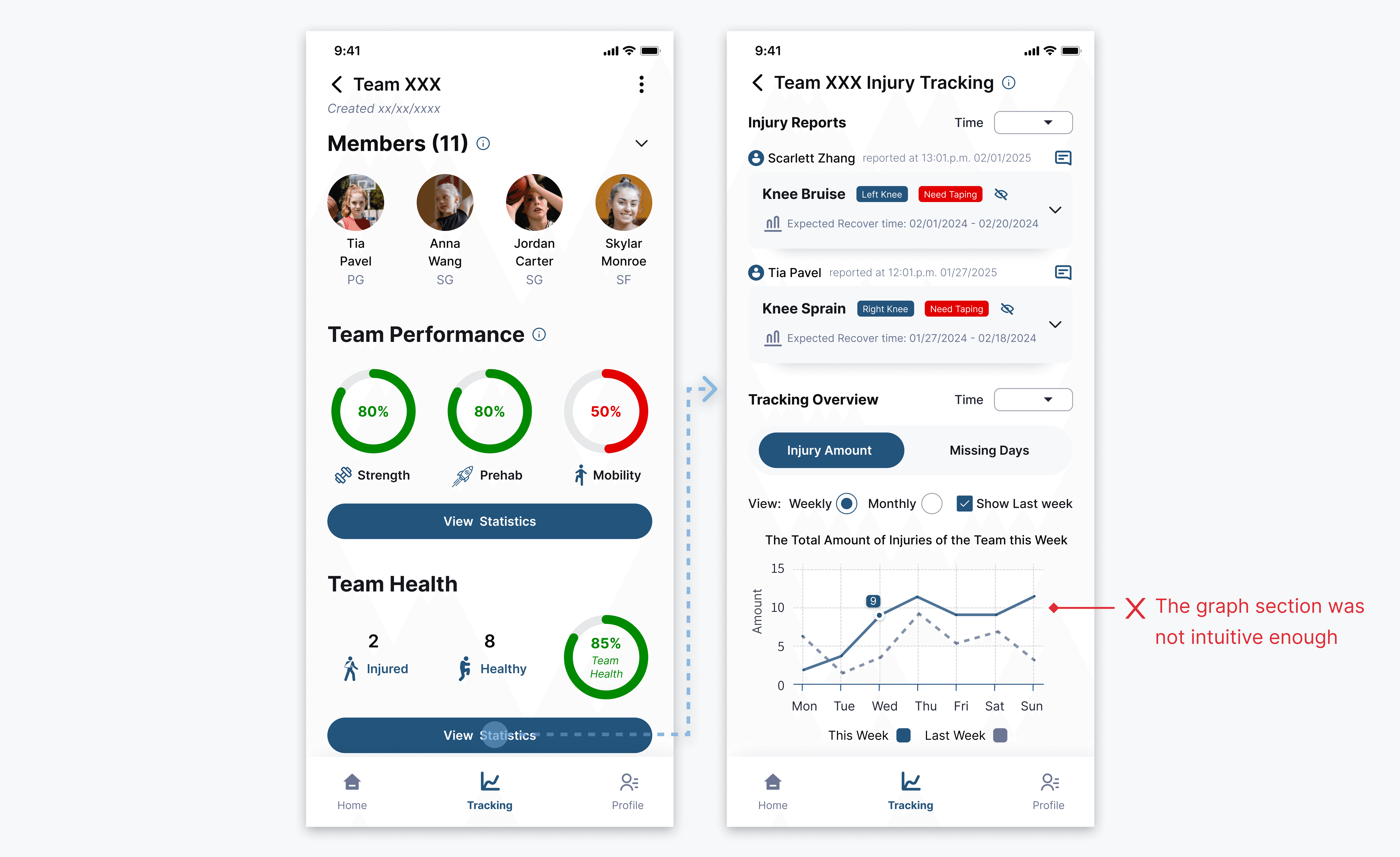
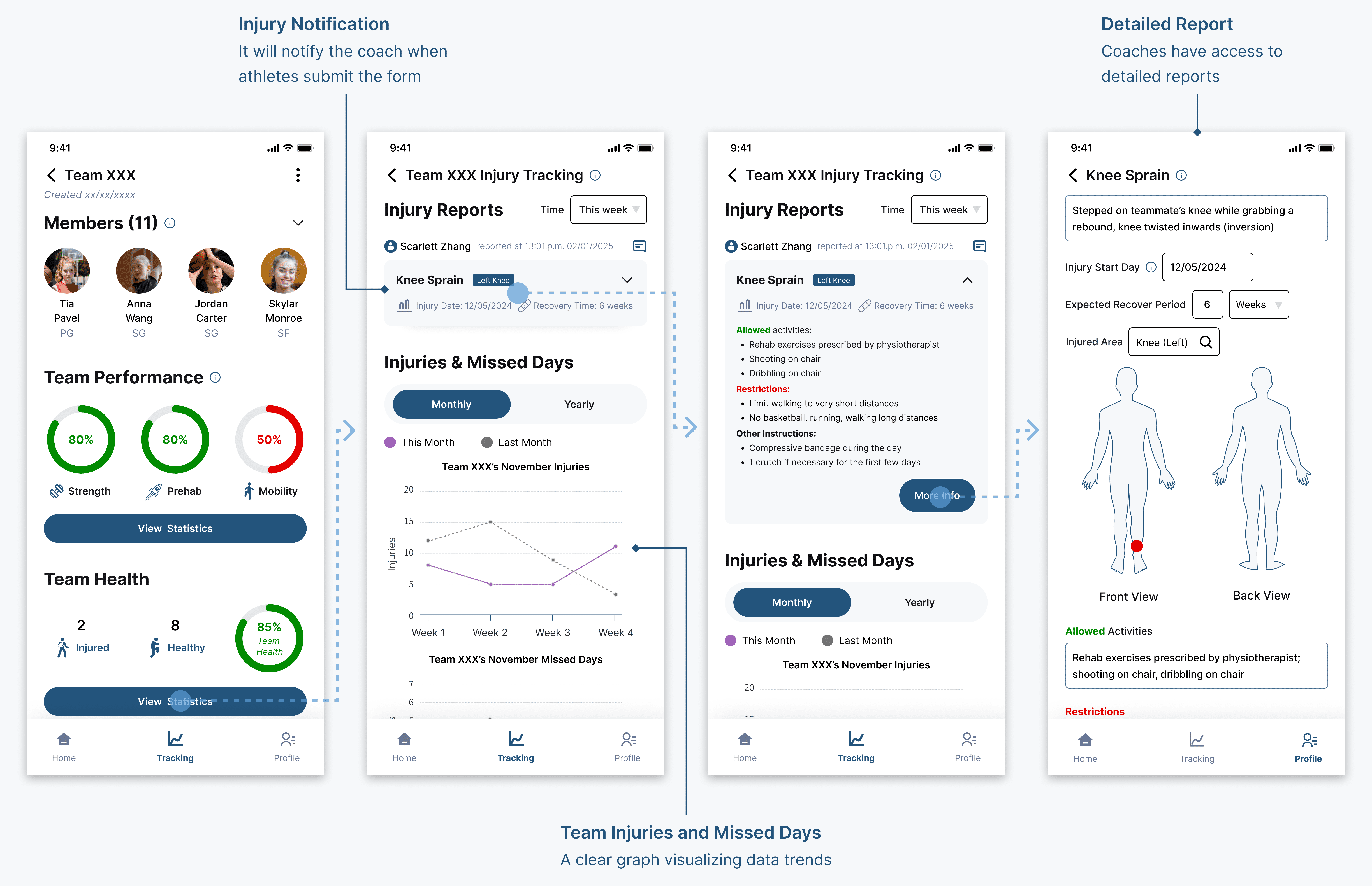
I designed the report section to notify coaches of athlete injuries, and overview graph sections to track team-wide injuries and missed days.
However, based on user testing:
Iteration 2
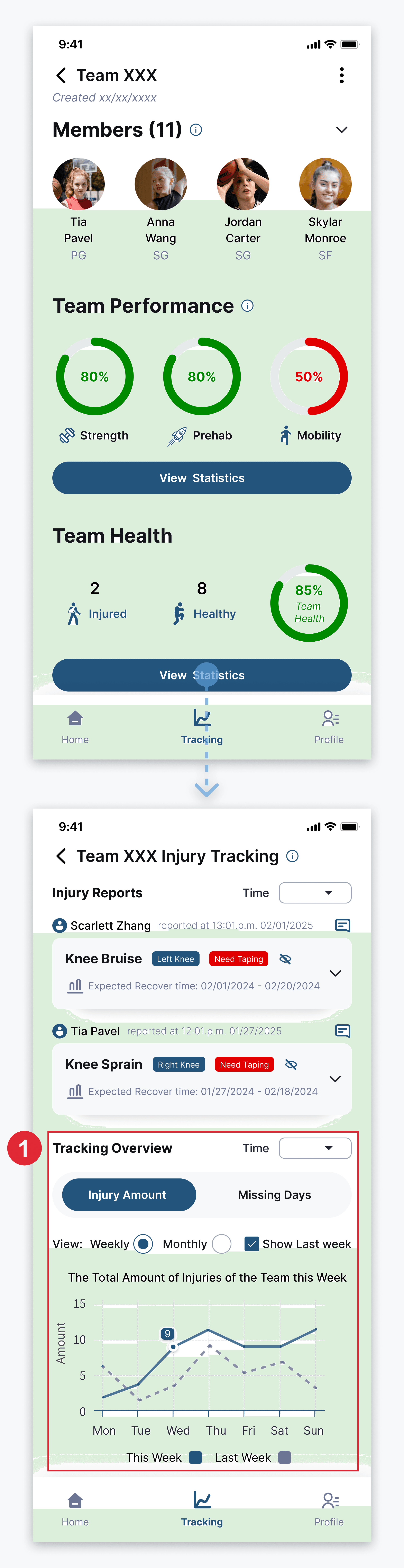
✅ So I redesigned the visualizations to make it clear and intuitive.
✅ The design enabled coaches to access injury data at three levels of detail.

Other Design - Side Feature

Adding Athletes to the Team
In the version 1 app, product owners had to manually register athletes and match them with coaches.
I designed a simplified team creation feature that allows coaches to effortlessly add athletes to their teams.
Design System
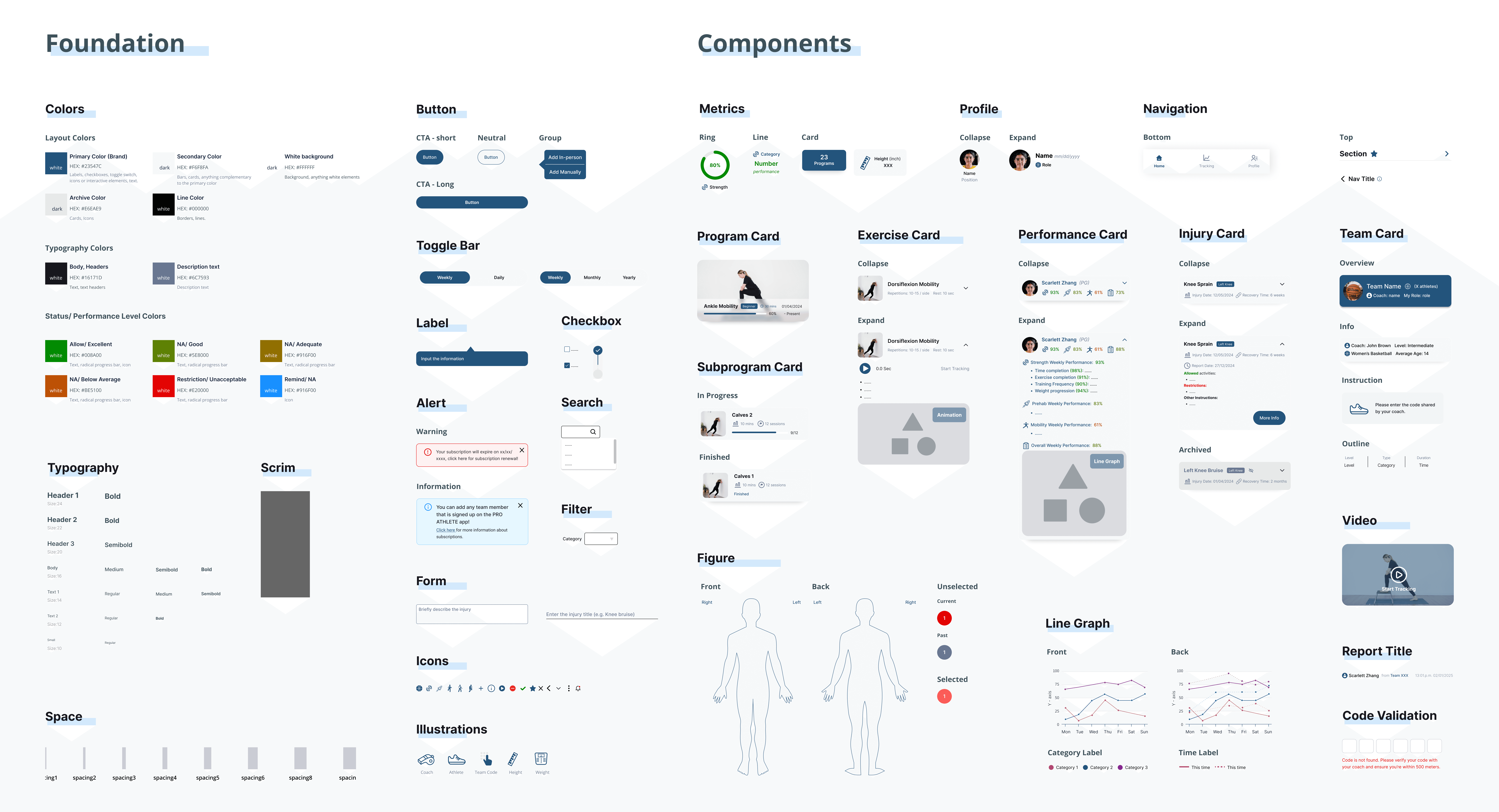
I developed the new design system for the Version 2 app
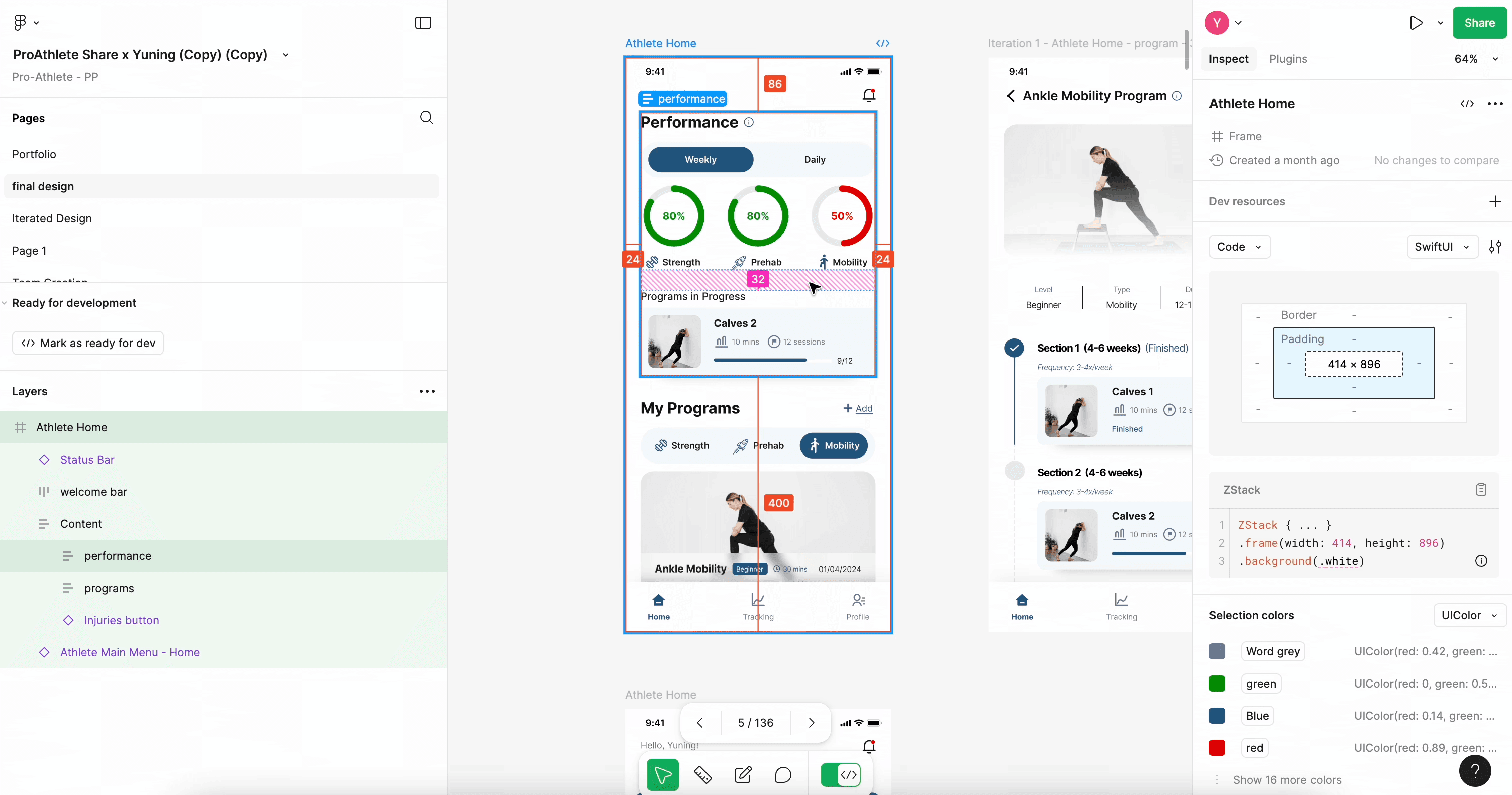
Developer Handoff
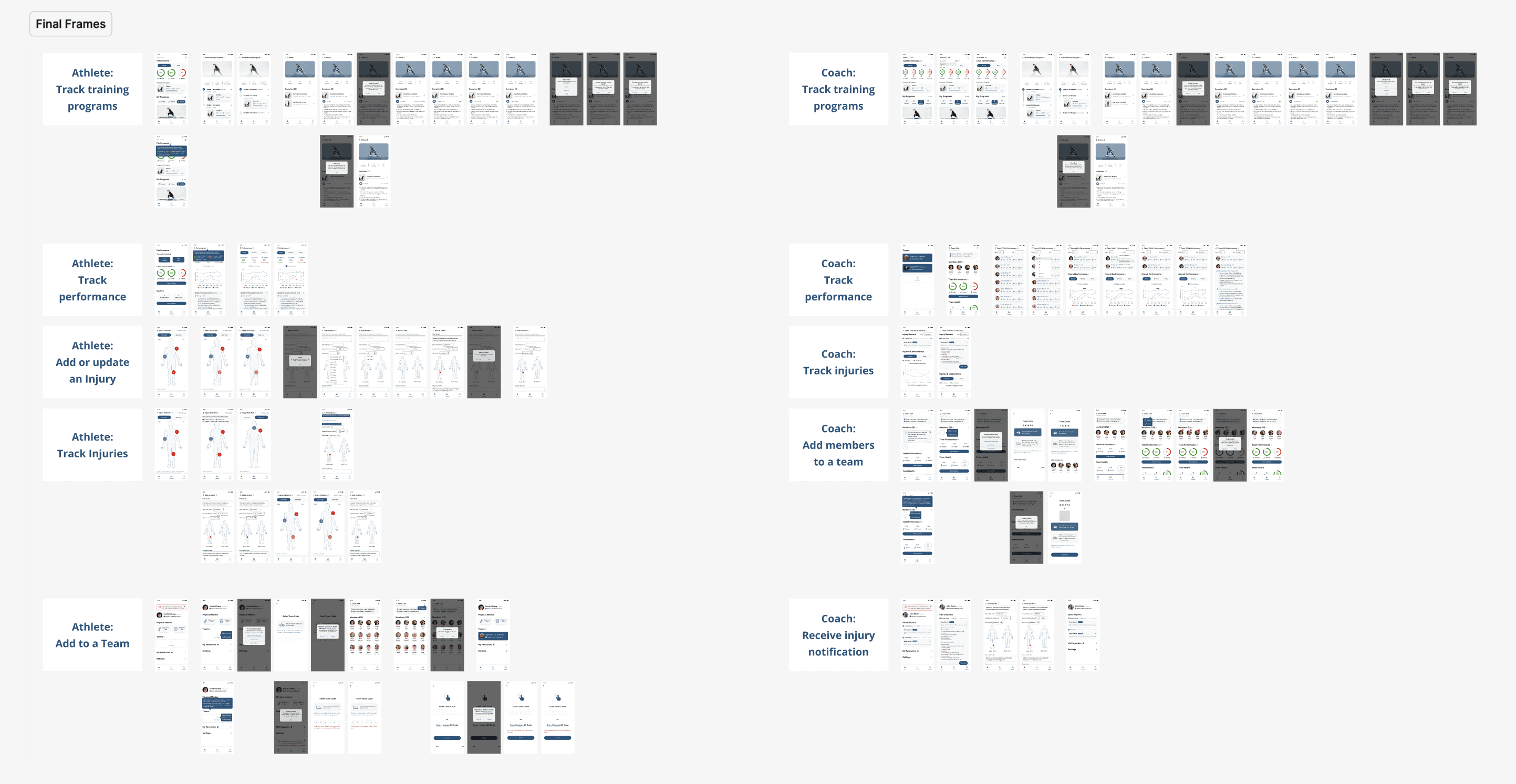
The design has been handed off to the developer
Technical Challenges
The app will be shipped for both iOS and Android
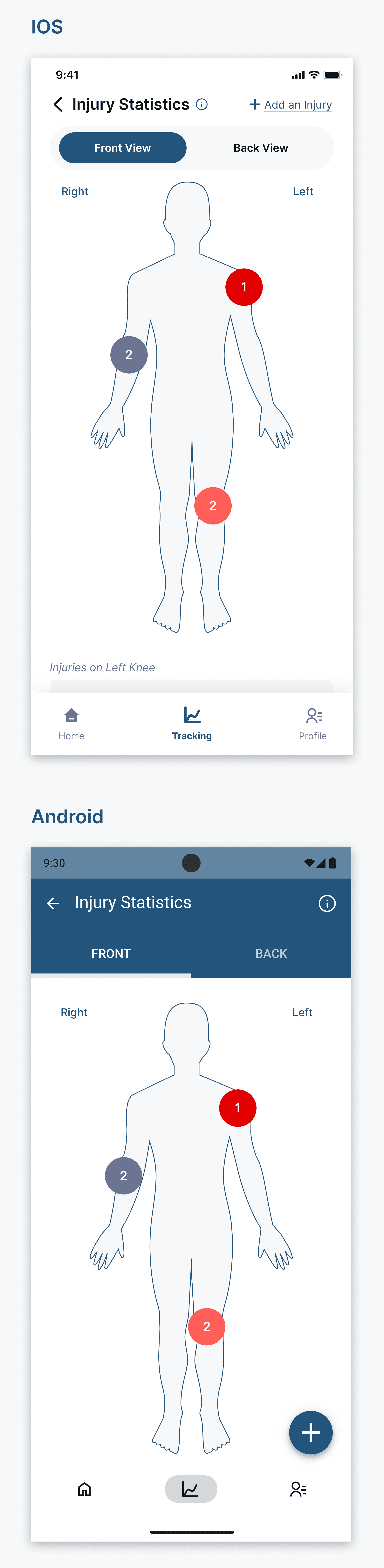
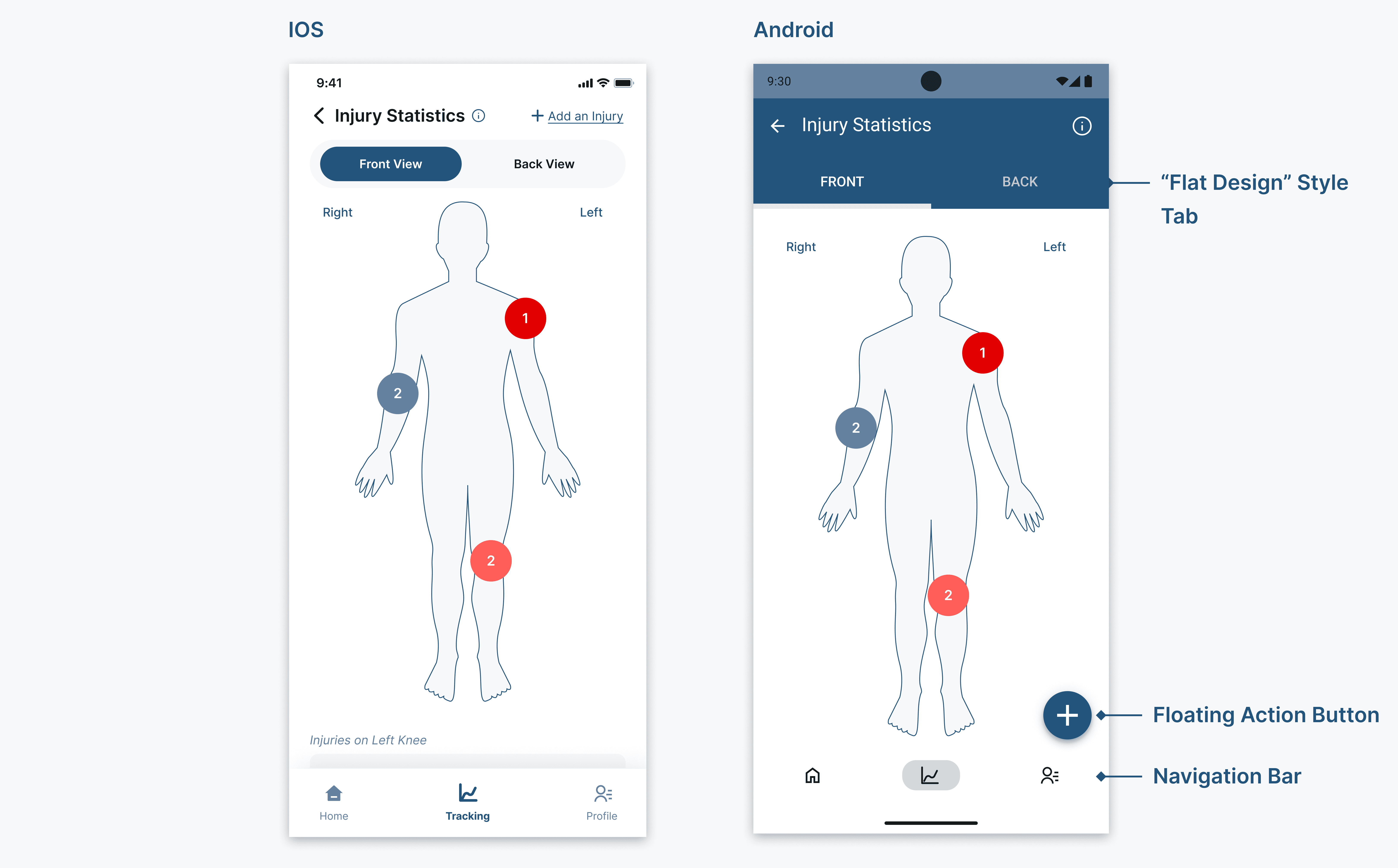
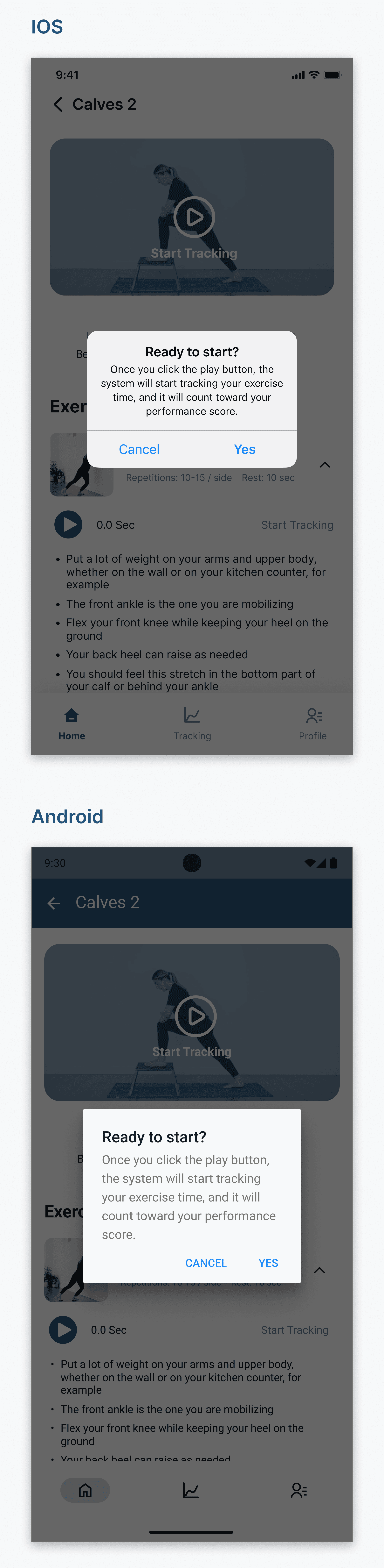
I designed it primarily for iOS and adapted the design for Android. The main differences were:
1️⃣ Android uses a floating action button for the screen's primary action, while iOS places it in the upper-right corner. Tab and navigation bar styles also differ.
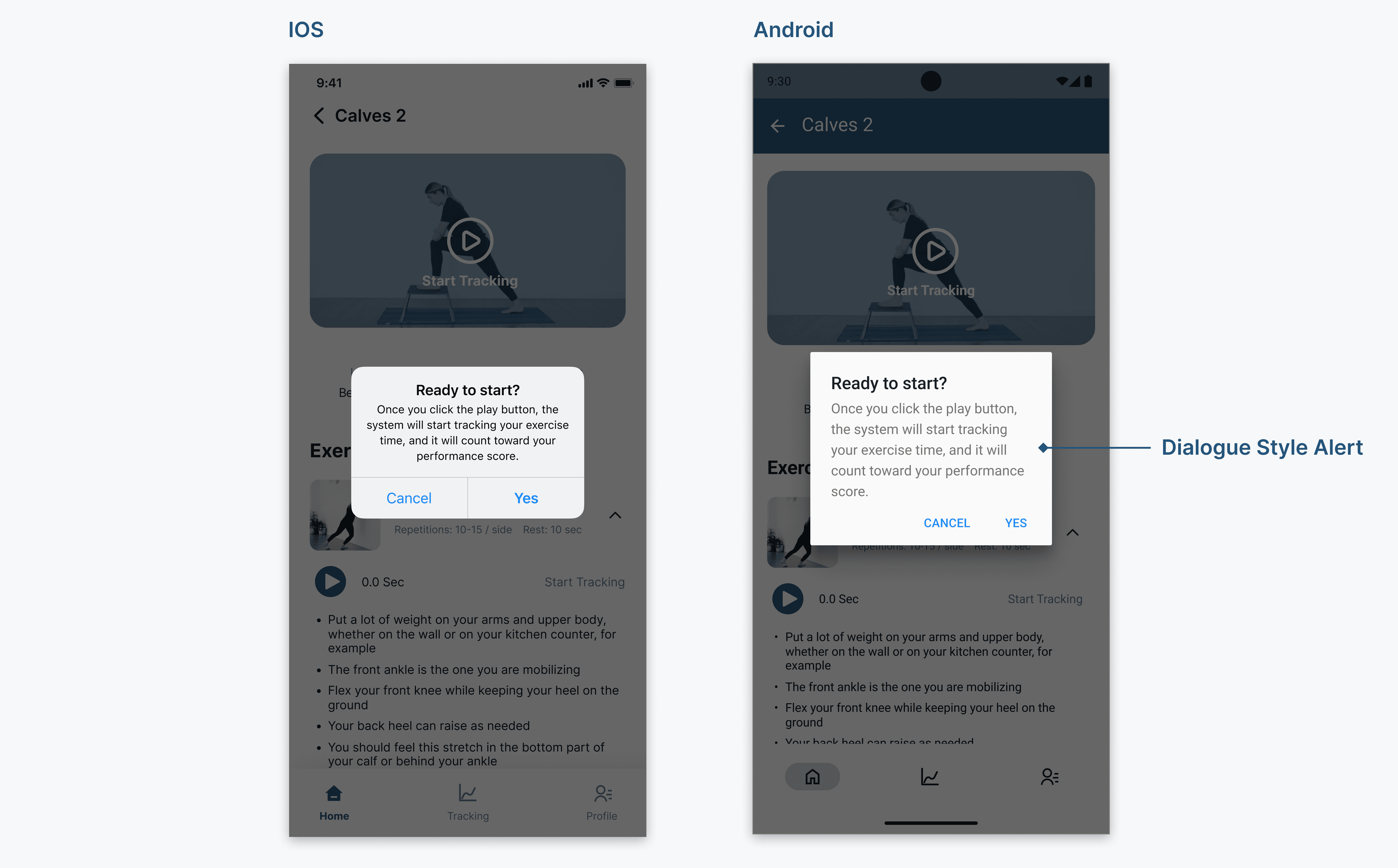
2️⃣ iOS uses alerts, while Android uses dialog-style notifications.
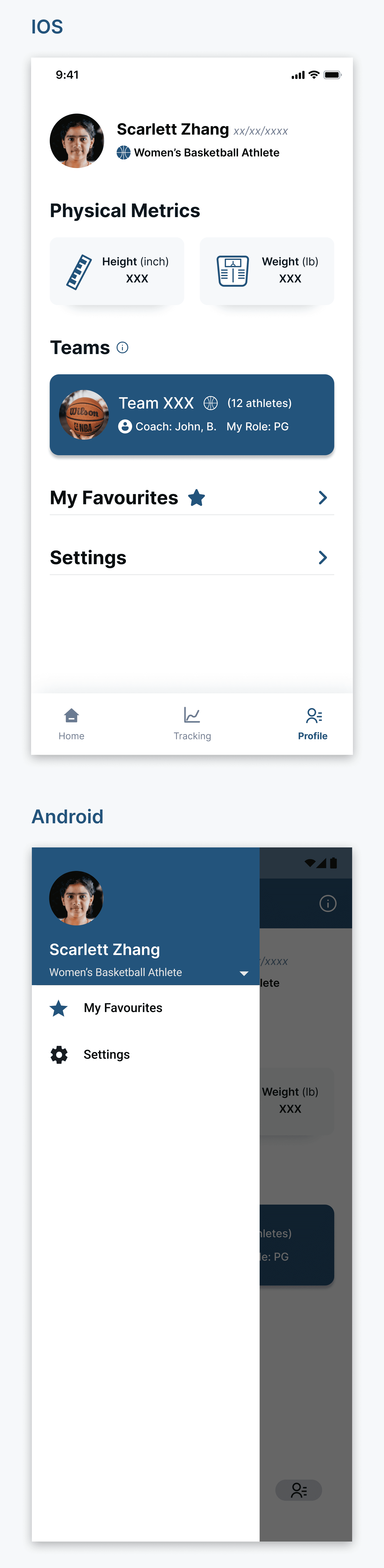
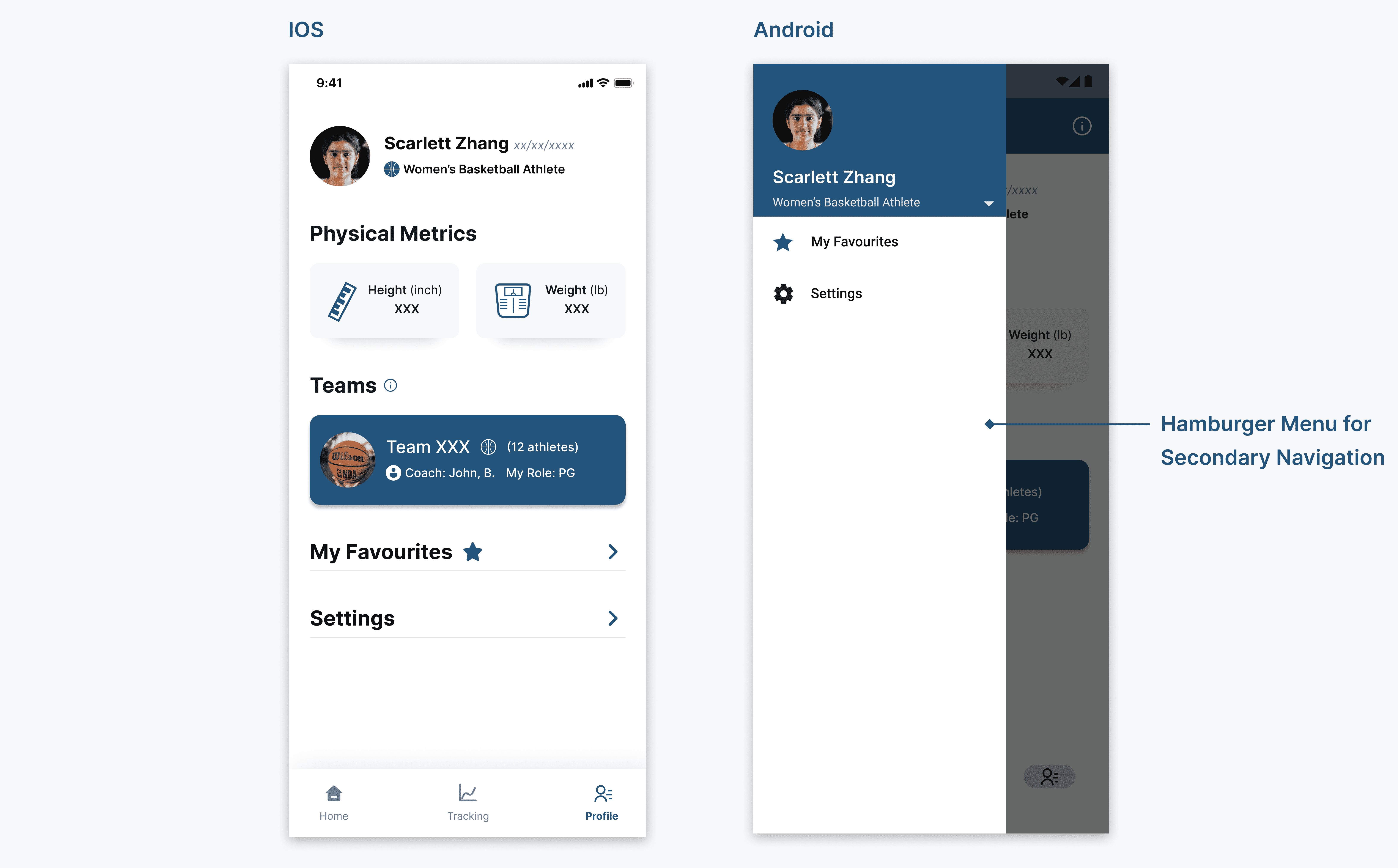
3️⃣ iOS places more navigation destinations on the screen, whereas Android contains them in a hamburger menu for secondary navigation.
Impact
+10%
+60%
-80%
“Truly amazing for serious team coaches who don’t have the budget for a full-time physical trainer! I really think the injury management feature could be a great fit for smaller or younger teams!”
— Coach
The CEO/founder reached out to work with me again this year.
👏 🥰